
Current · v7.1.7
SchoolMeridian Desktop
SchoolMeridianSetup_7.1.7.exe
Required updateWhat's changed
v7.1.7. updates in printouts and mark entry
Seyaro Systems Inc. designs and delivers innovative software solutions, modern websites and IT services that empower institutions and businesses across education, healthcare, transport, hospitality and more.
 Seyaro Systems
Technology
in your hands.
Download current software releases or browse previous versions below.
SchoolMeridianSetup_7.1.7.exe
Required updatev7.1.7. updates in printouts and mark entry
SchoolMeridianApiSetup_7.1.7.exe
Required updatev7.1.7. updates in printouts and mark entry
SchoolEasy-7.1.0.apk
Required update DownloadEarlier releases, organized by product. Expand a product to choose a version.
SchoolMeridianSetup_7.1.6.exe
SchoolMeridianSetup_7.1.6.exe
7.1.6-2
SchoolMeridianSetup_7.1.6.exe
SchoolMeridianSetup_7.1.6.exe
7.1.6
SchoolMeridianSetup_7.1.5.exe
SchoolMeridianSetup_7.1.5.exe
SchoolMeridianApiSetup_7.1.6.exe
SchoolMeridianApiSetup_7.1.5.exe
an update of 7.1.5
SchoolMeridianApiSetup_7.1.5.exe
SchoolMeridianApiSetup_7.1.5.exe
Connect to your school, access your staff workspace and manage teaching tasks on Android, iPhone or iPad with the same familiar interface.
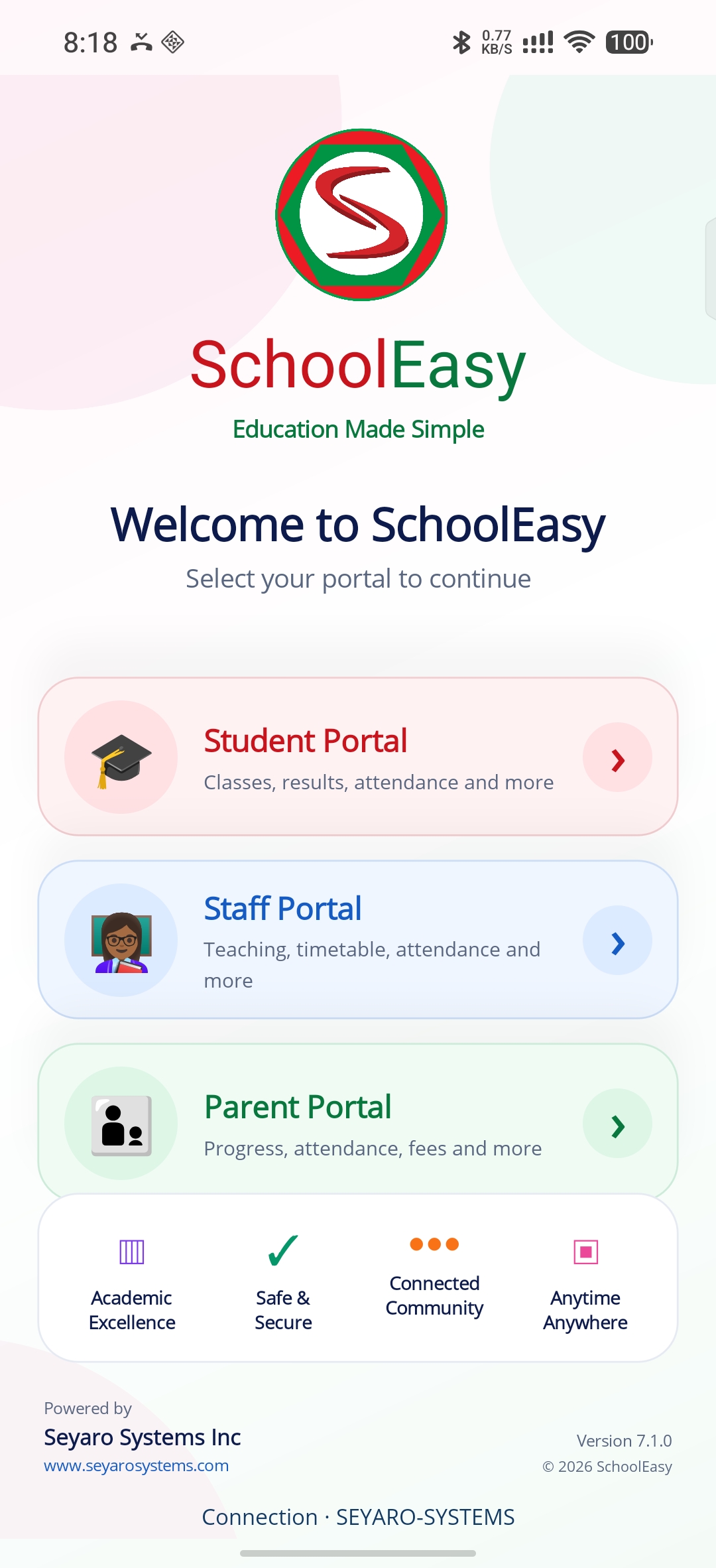
Select the student, staff or parent portal.
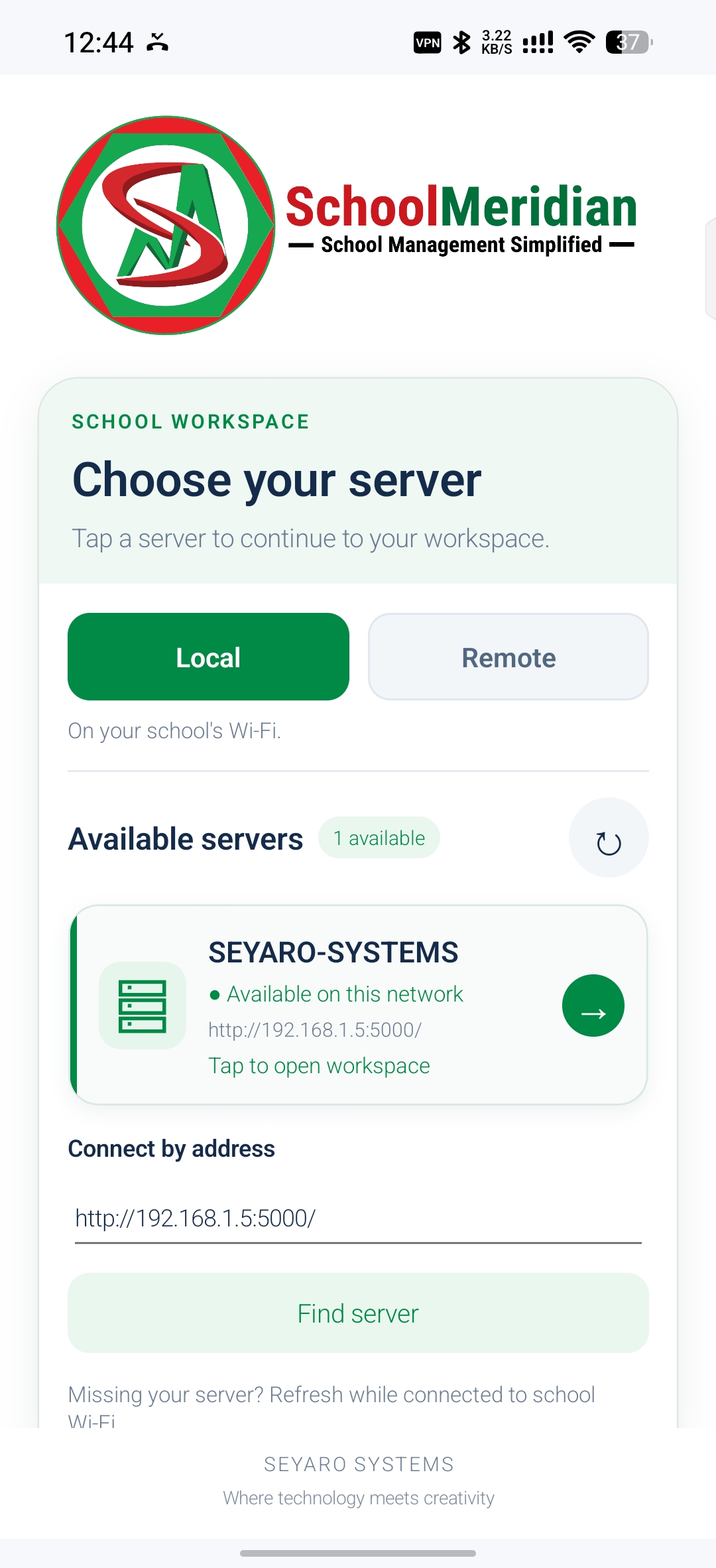
Find a local server or enter your school server address.
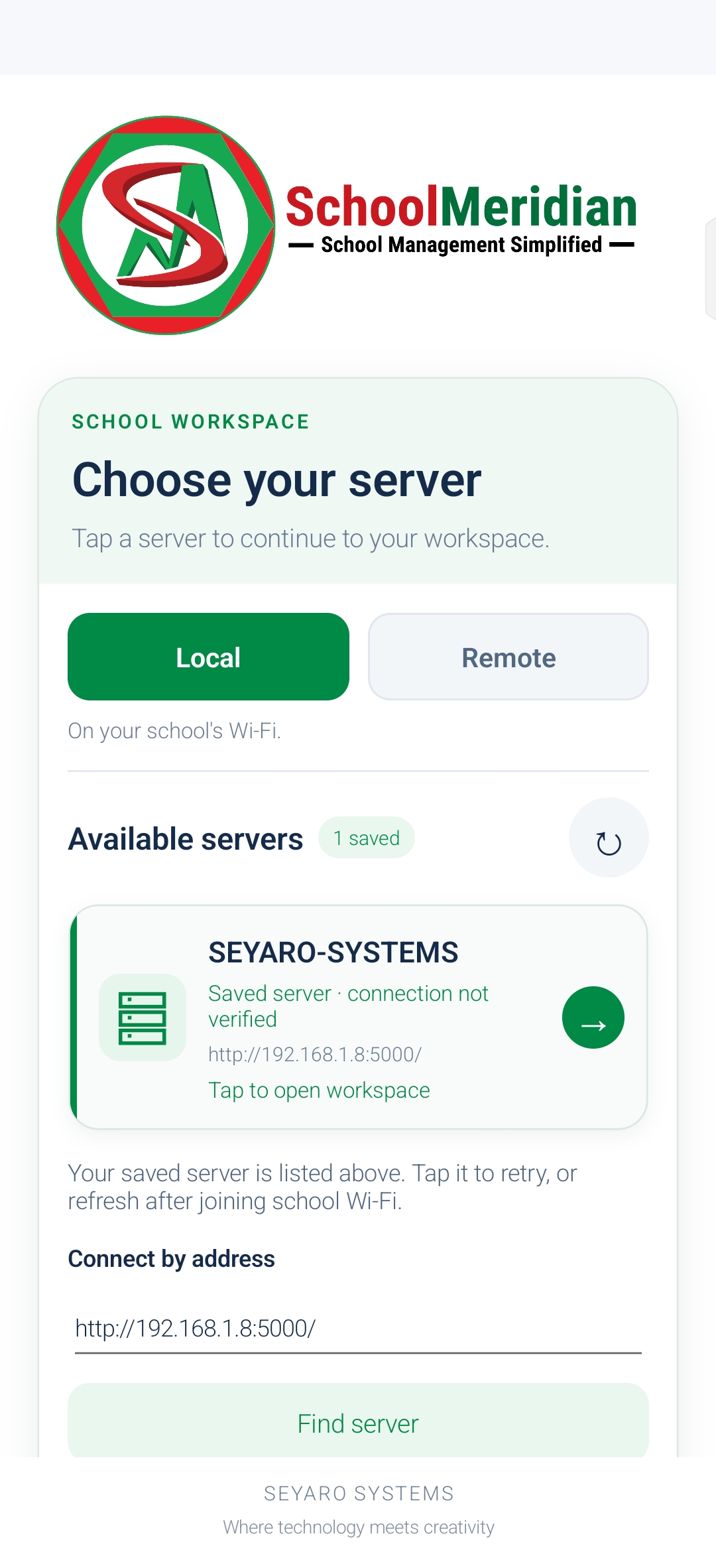
Select a saved server to reconnect to your school.
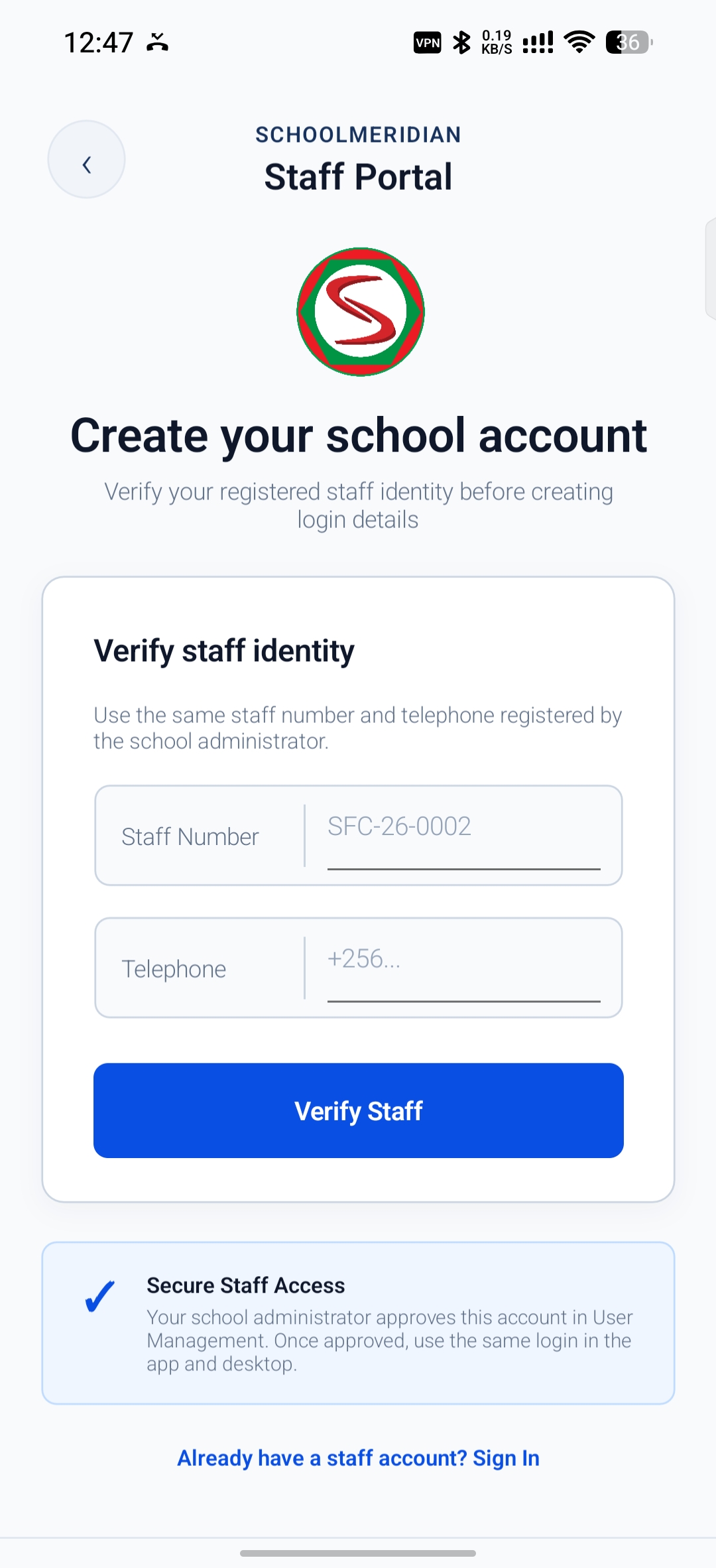
Enter your staff number and telephone to begin account setup.
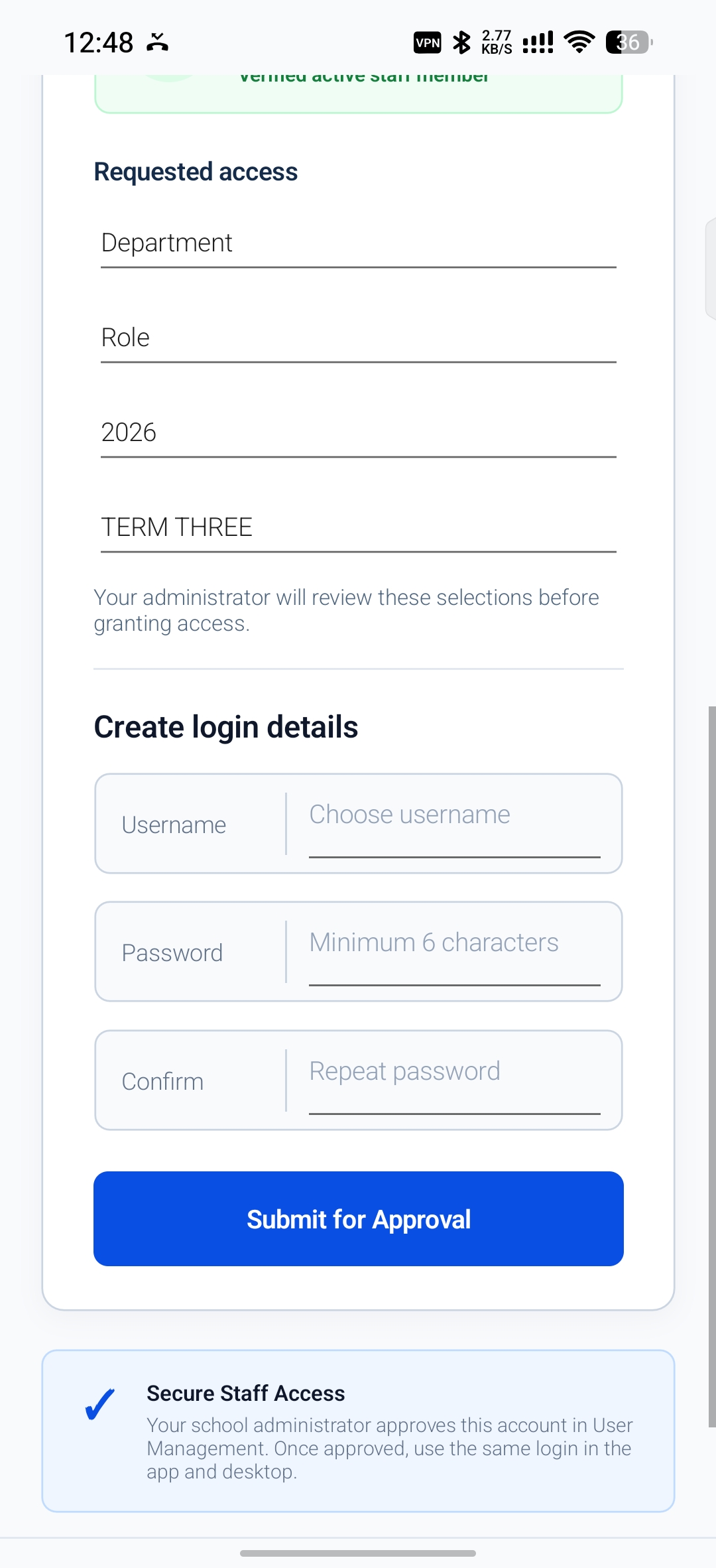
Choose your department and role, then submit your login details for approval.
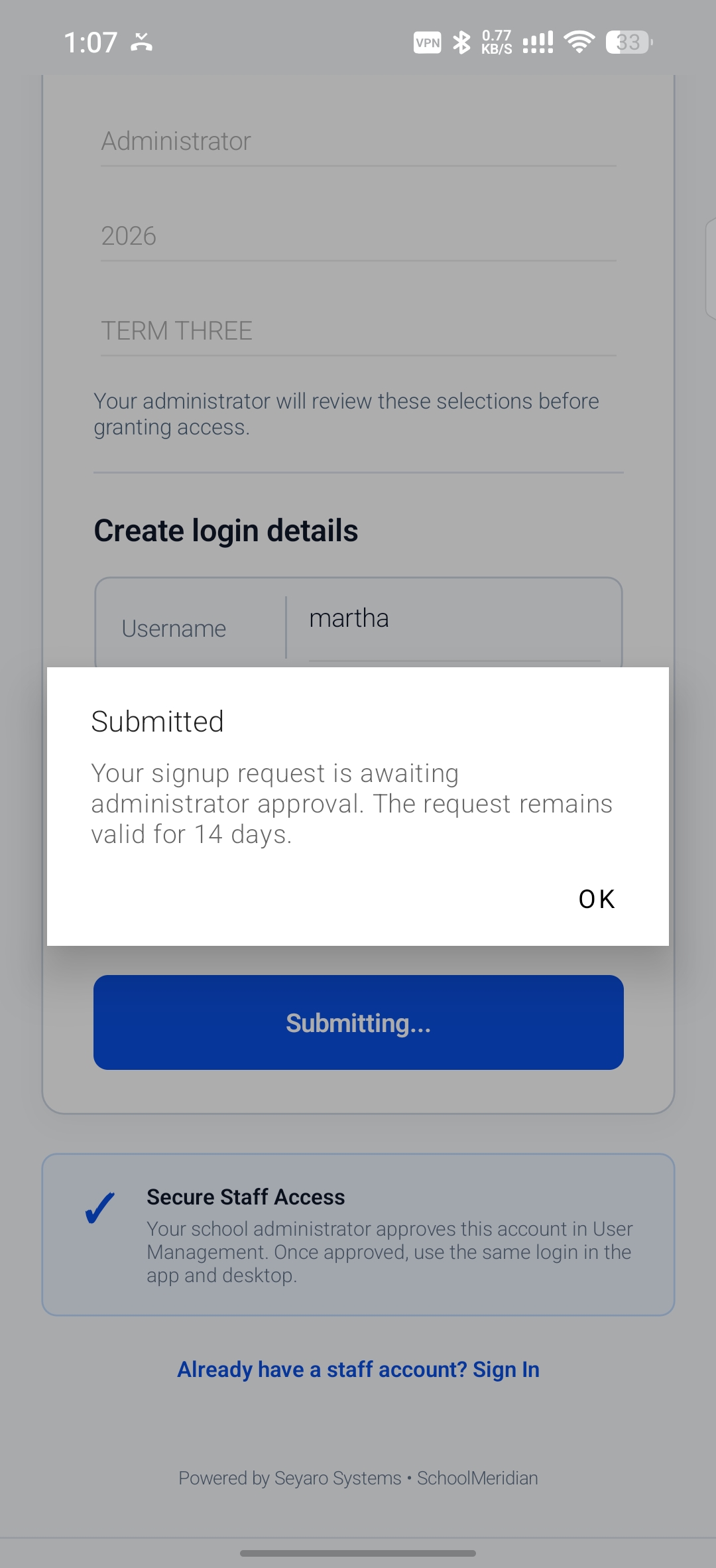
Your account request awaits administrator approval.
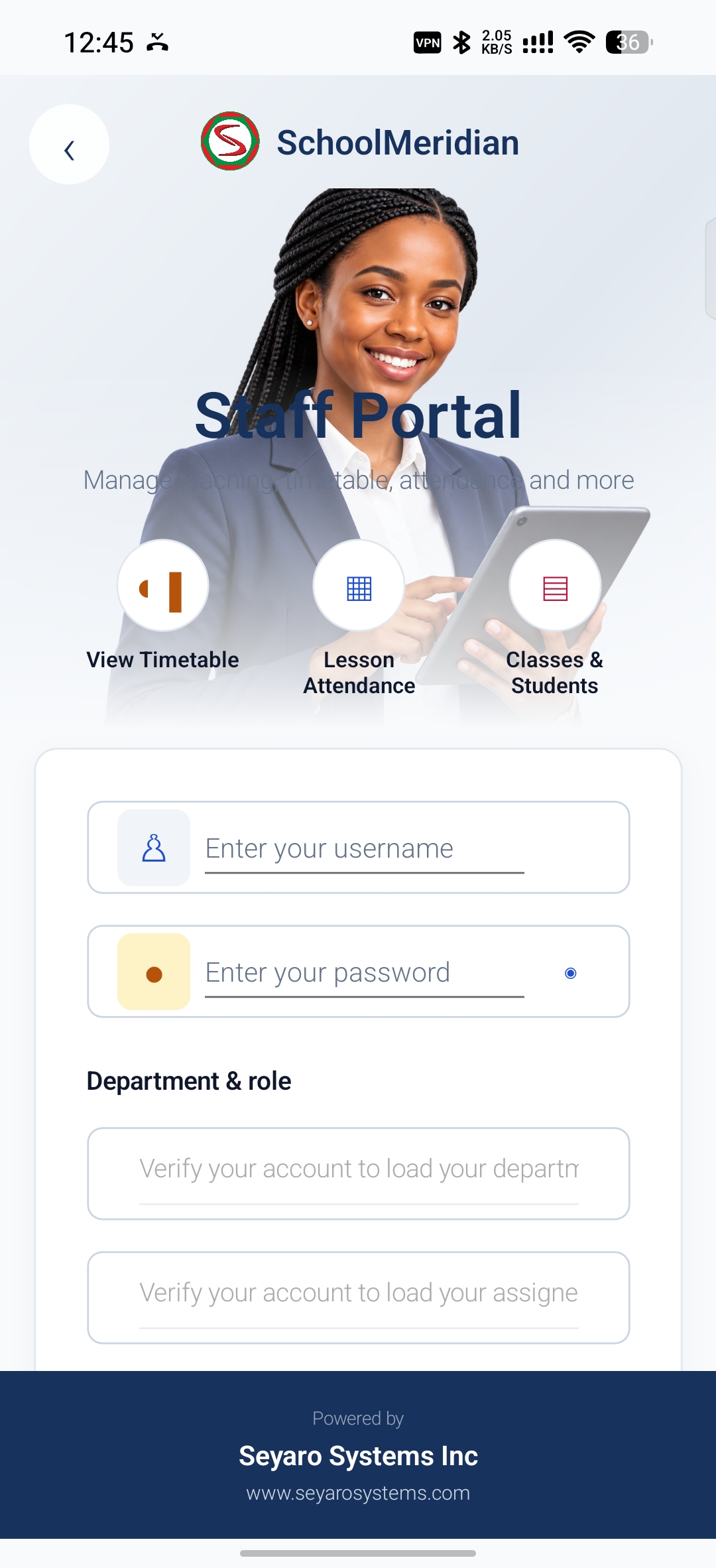
Open your staff workspace with your username and password.
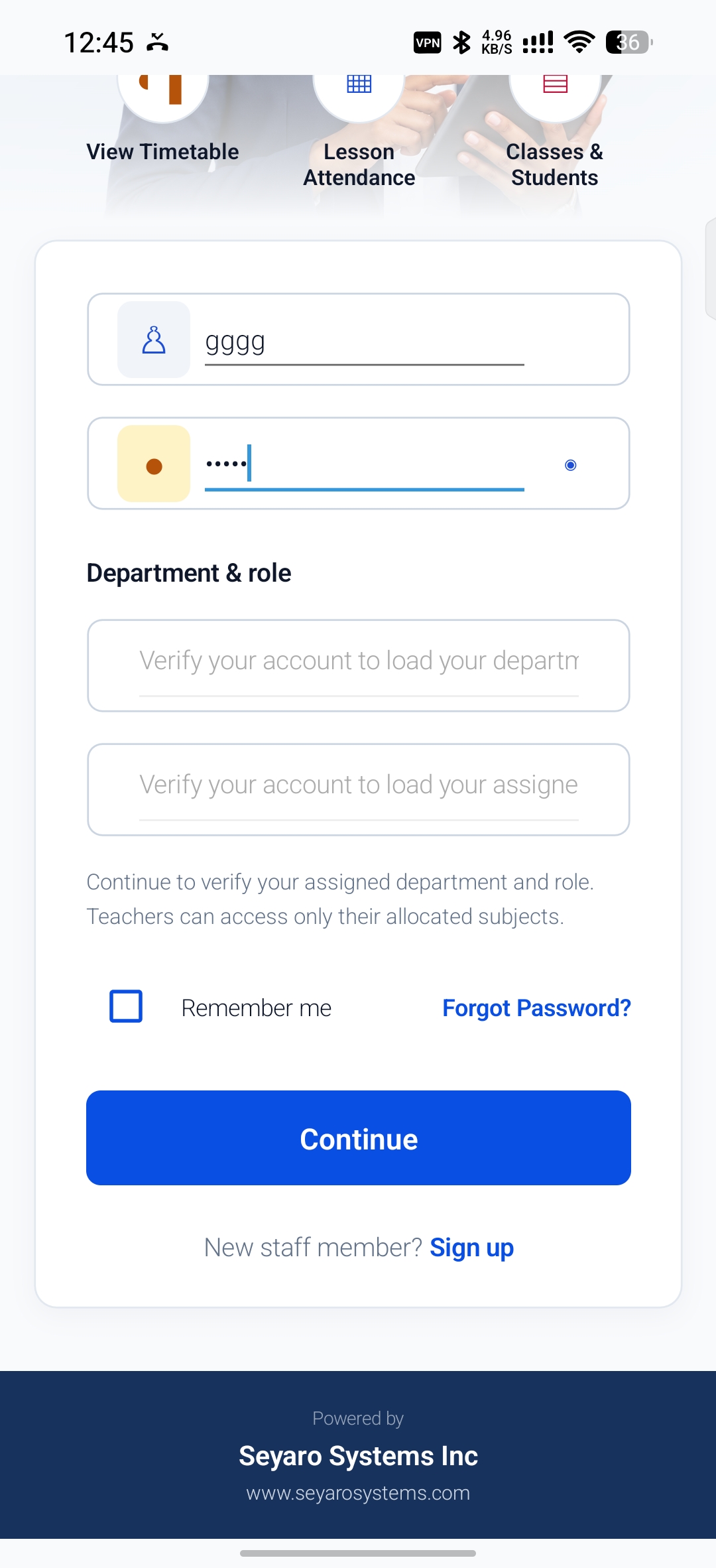
Verify your account to continue with your assigned department and role.
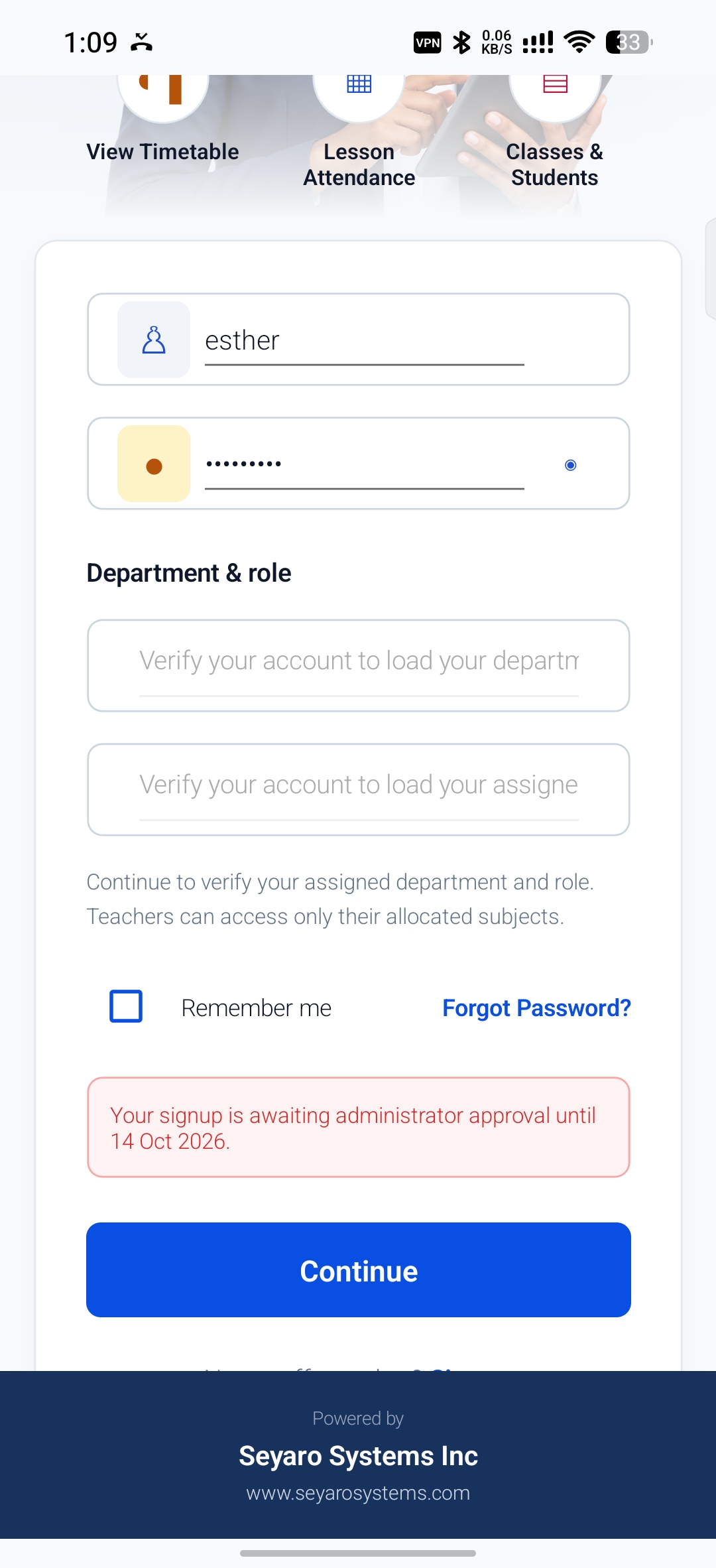
Check whether your staff signup is awaiting approval.
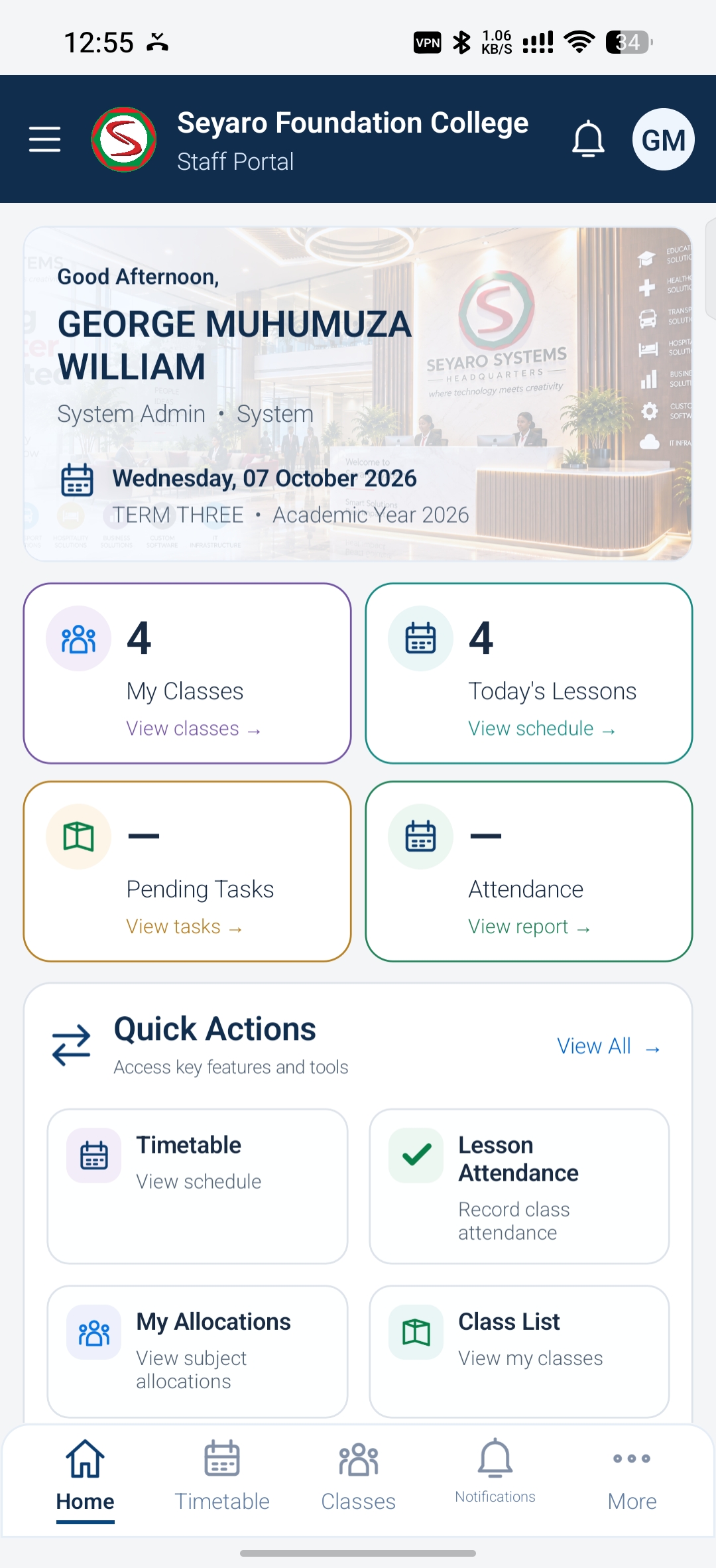
See your classes, lessons, pending tasks and attendance shortcuts.
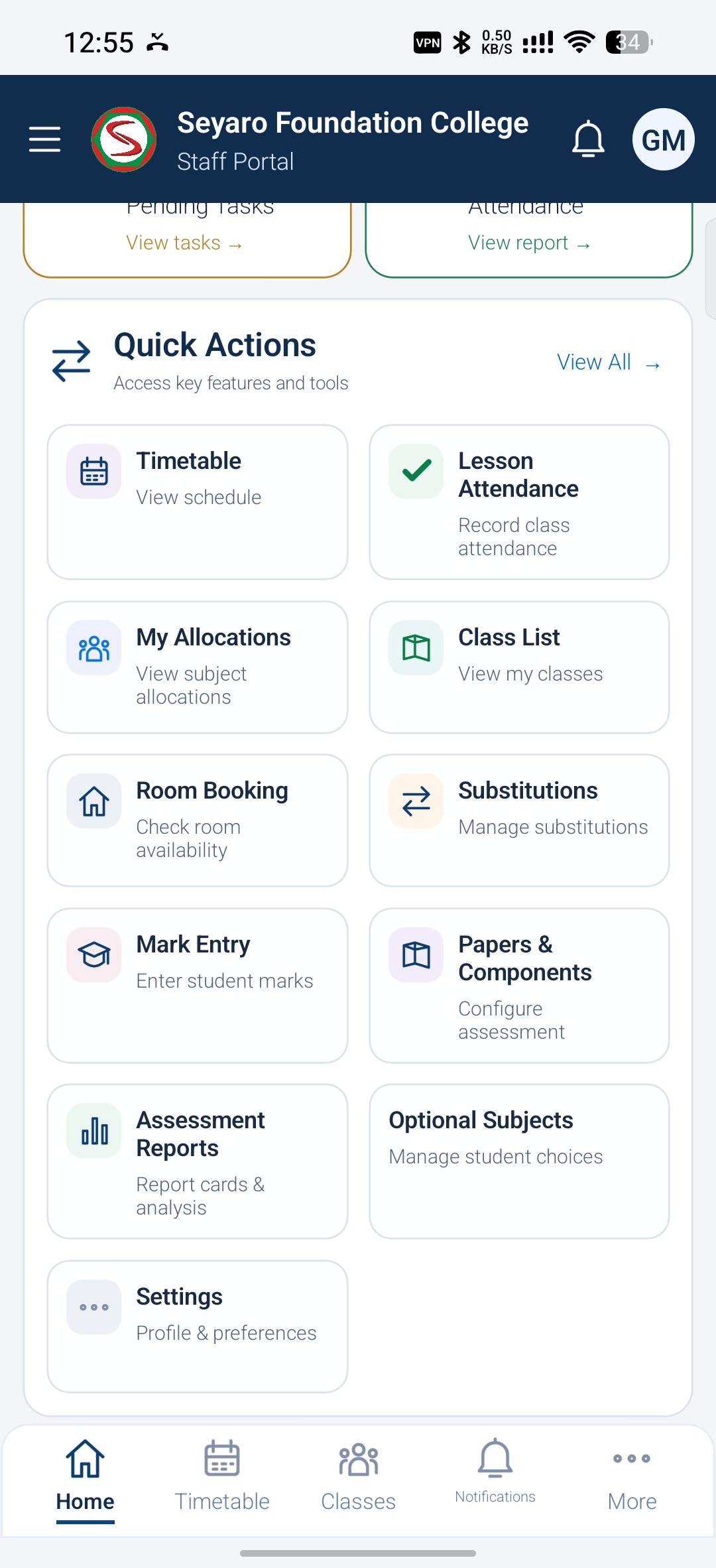
Open class lists, mark entry, reports and other staff tools.
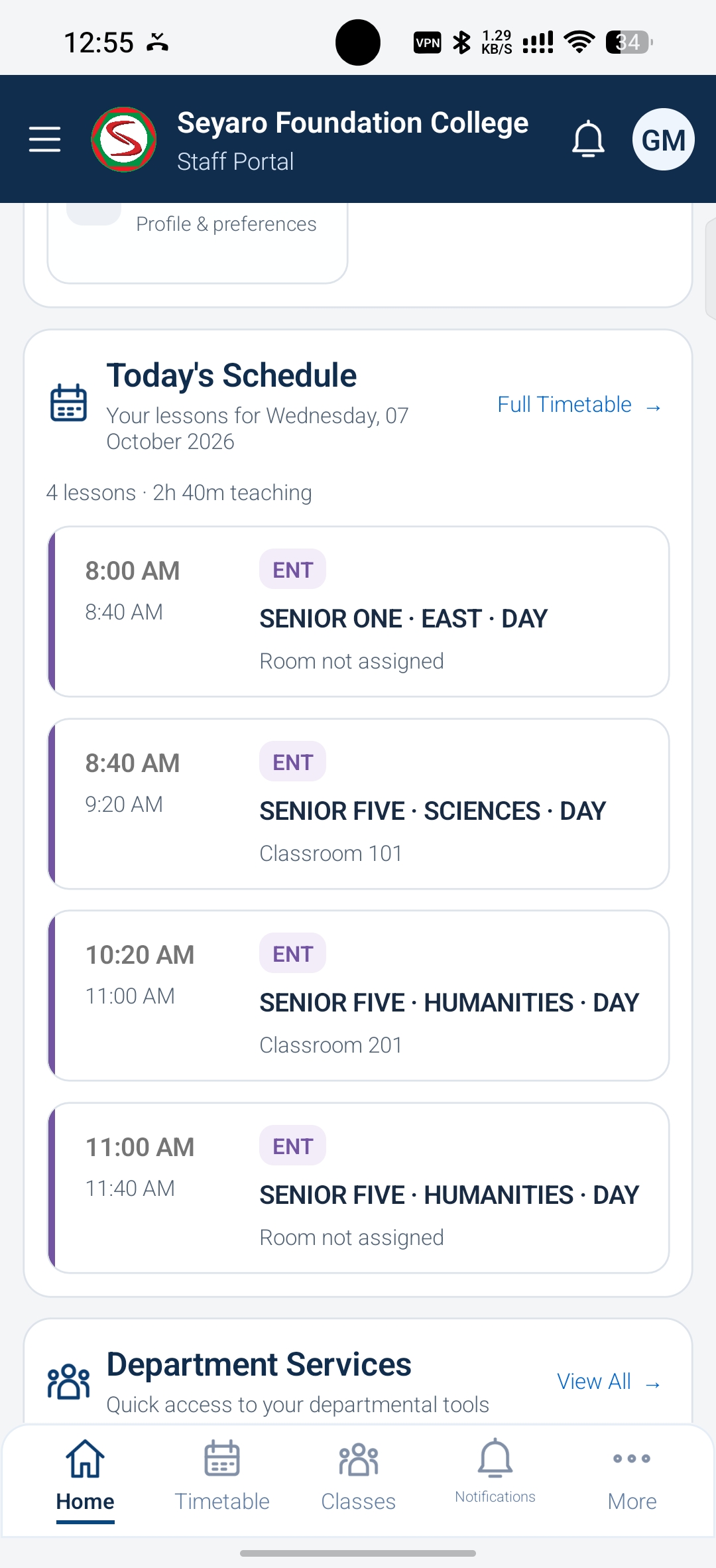
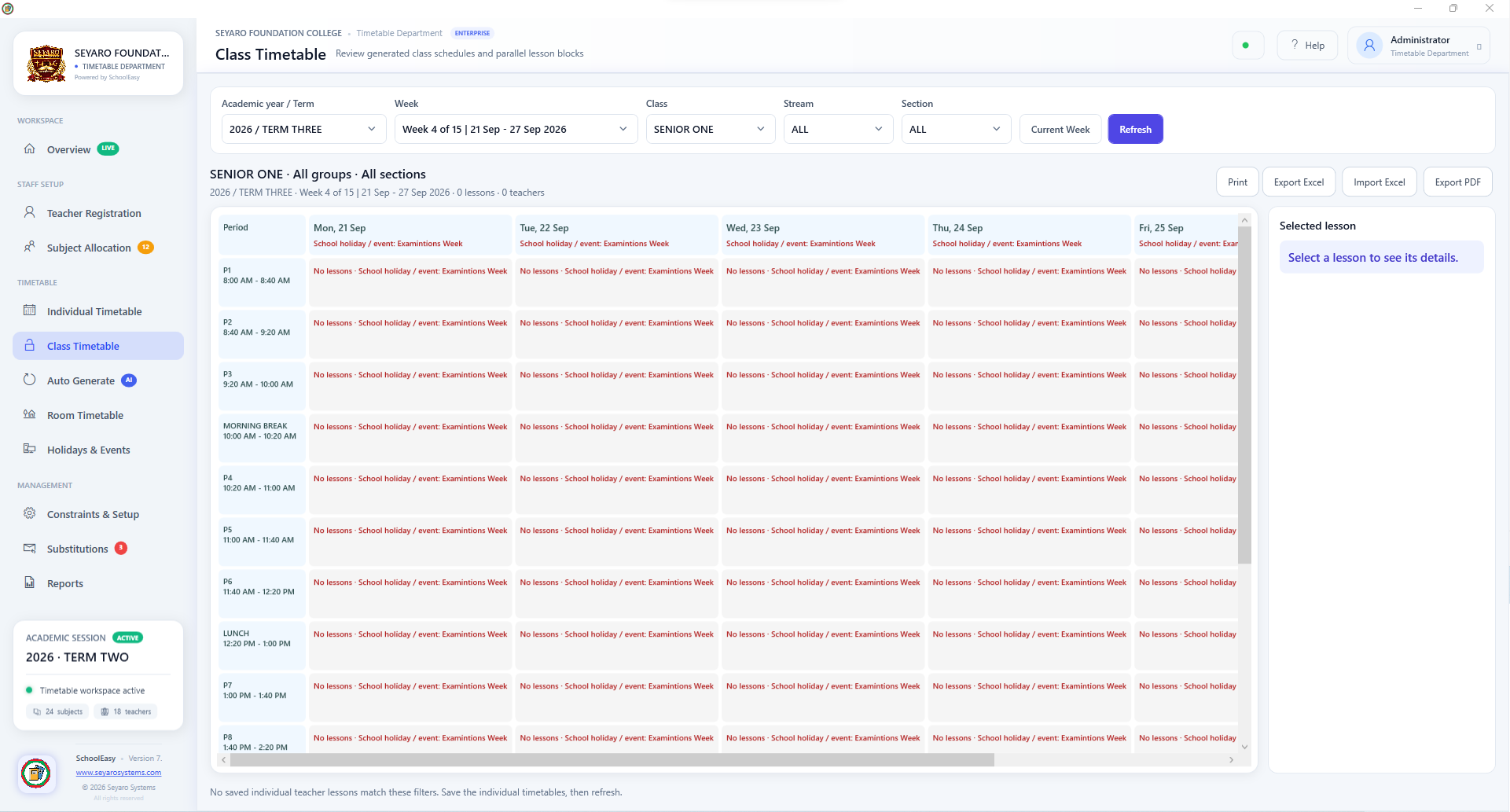
Review lesson times, classes and room assignments.
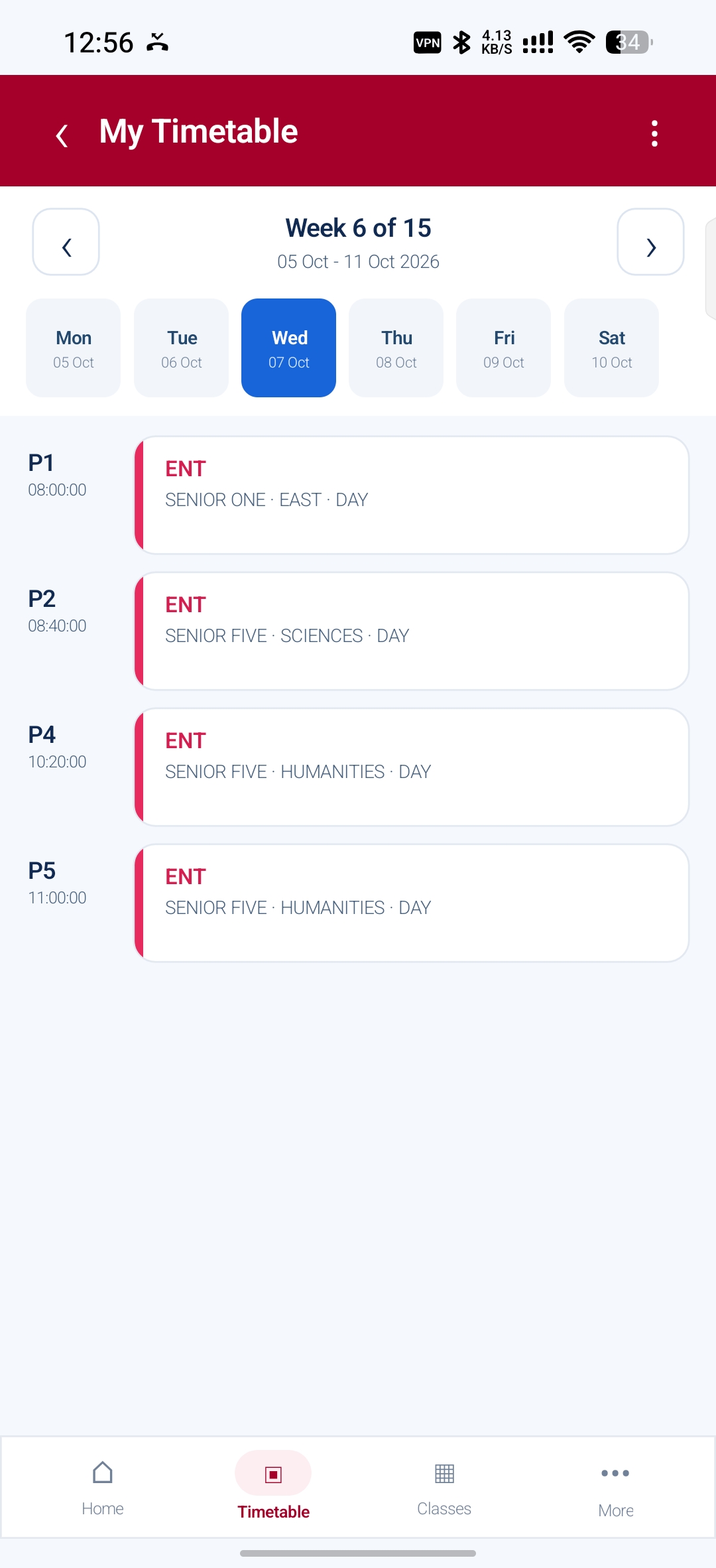
Browse teaching periods by day and week.
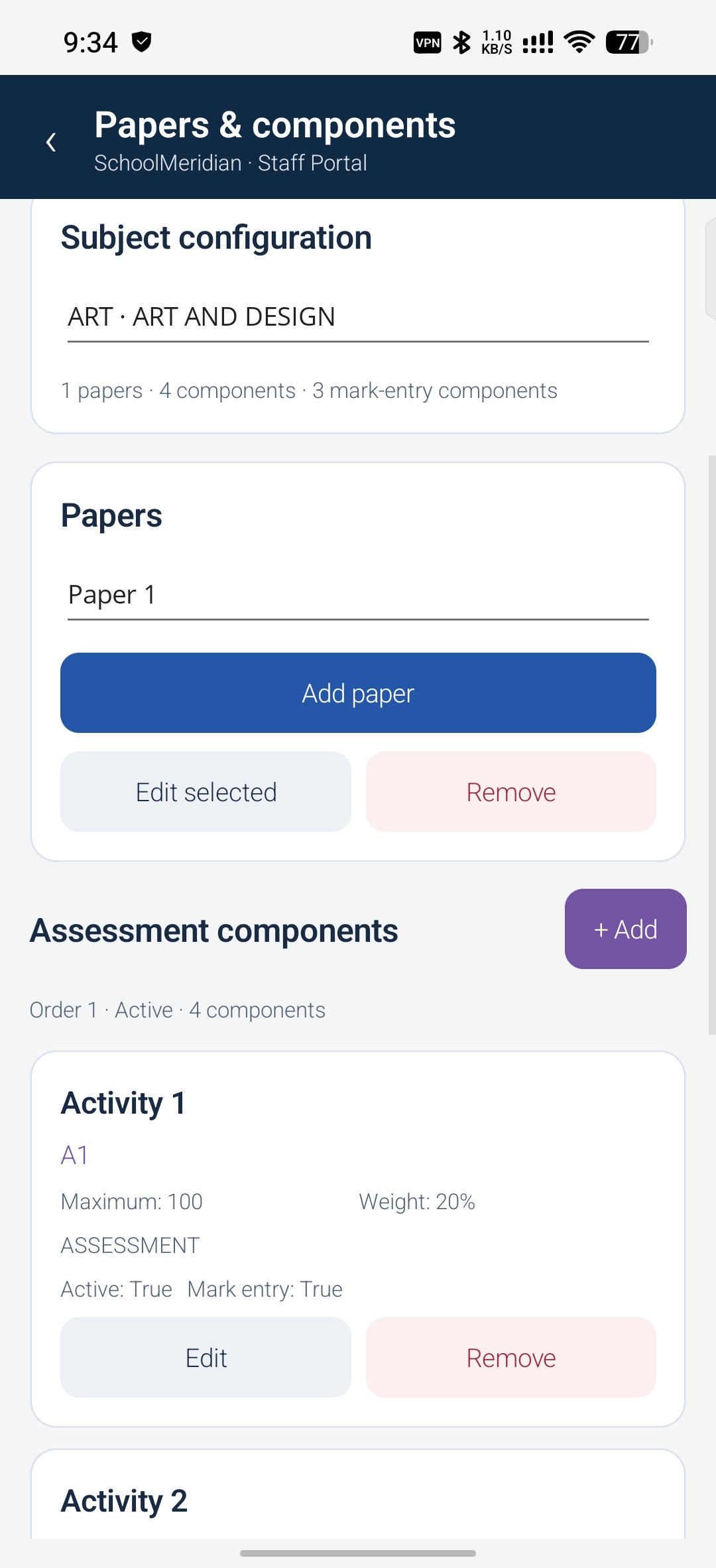
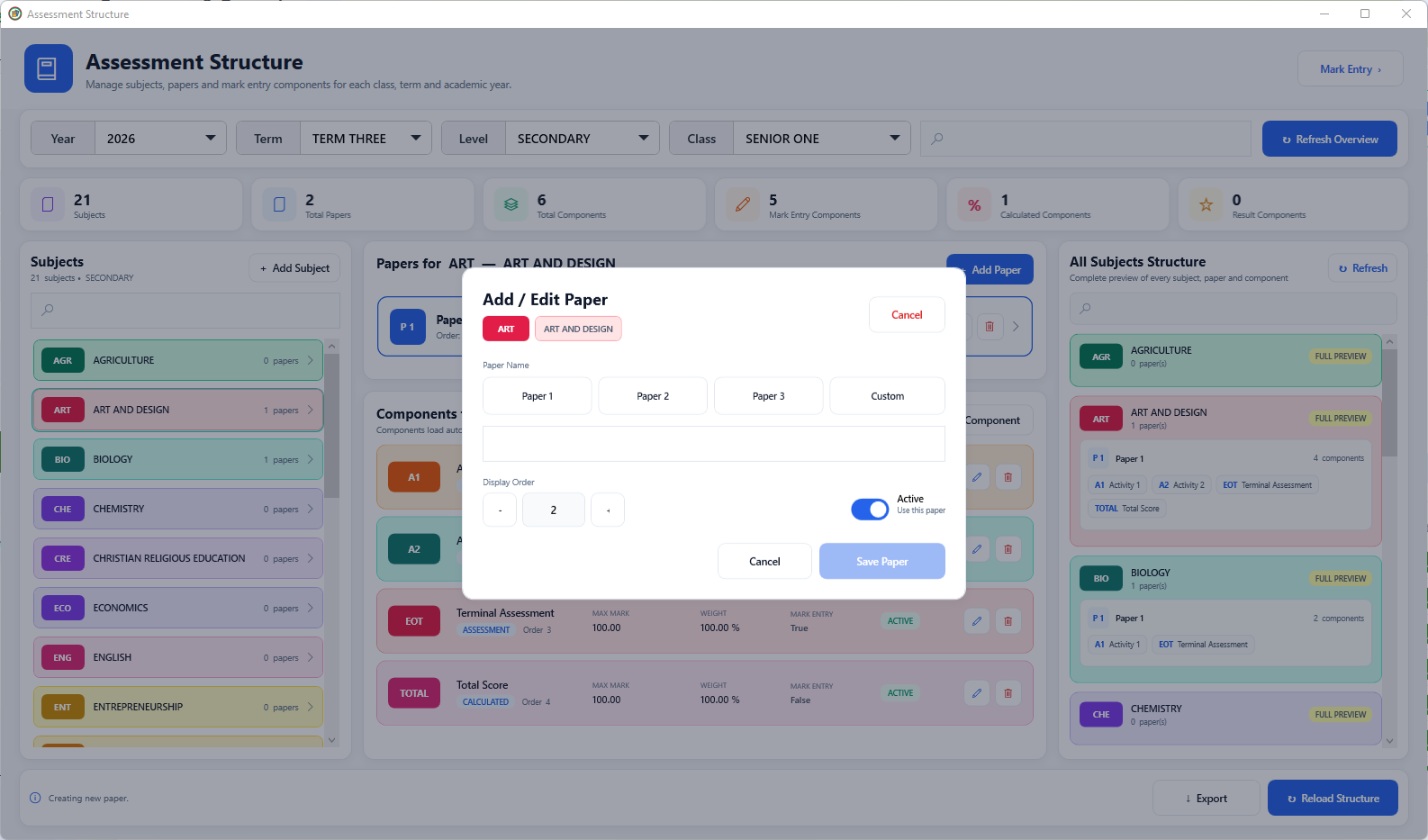
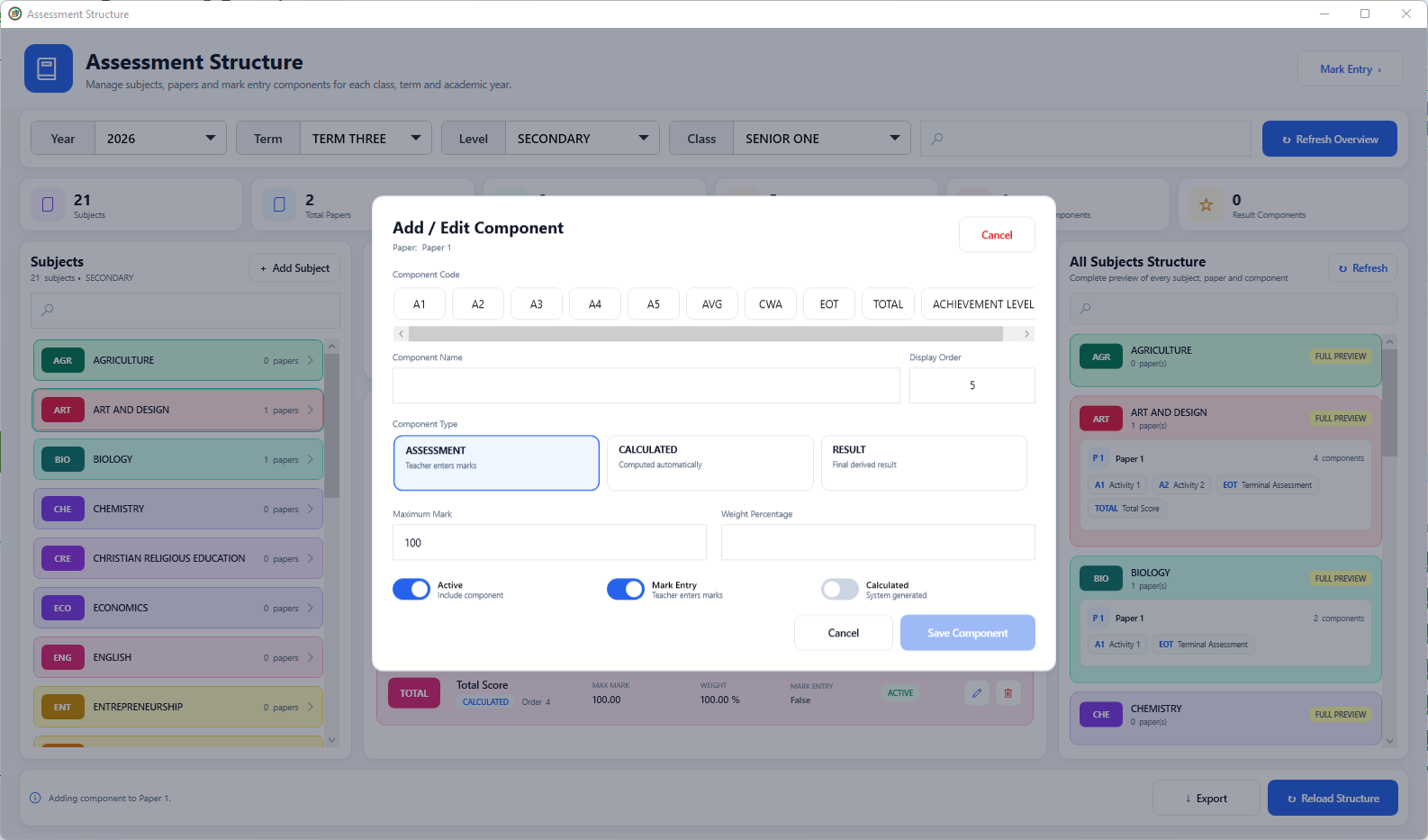
Configure subject papers and assessment components.
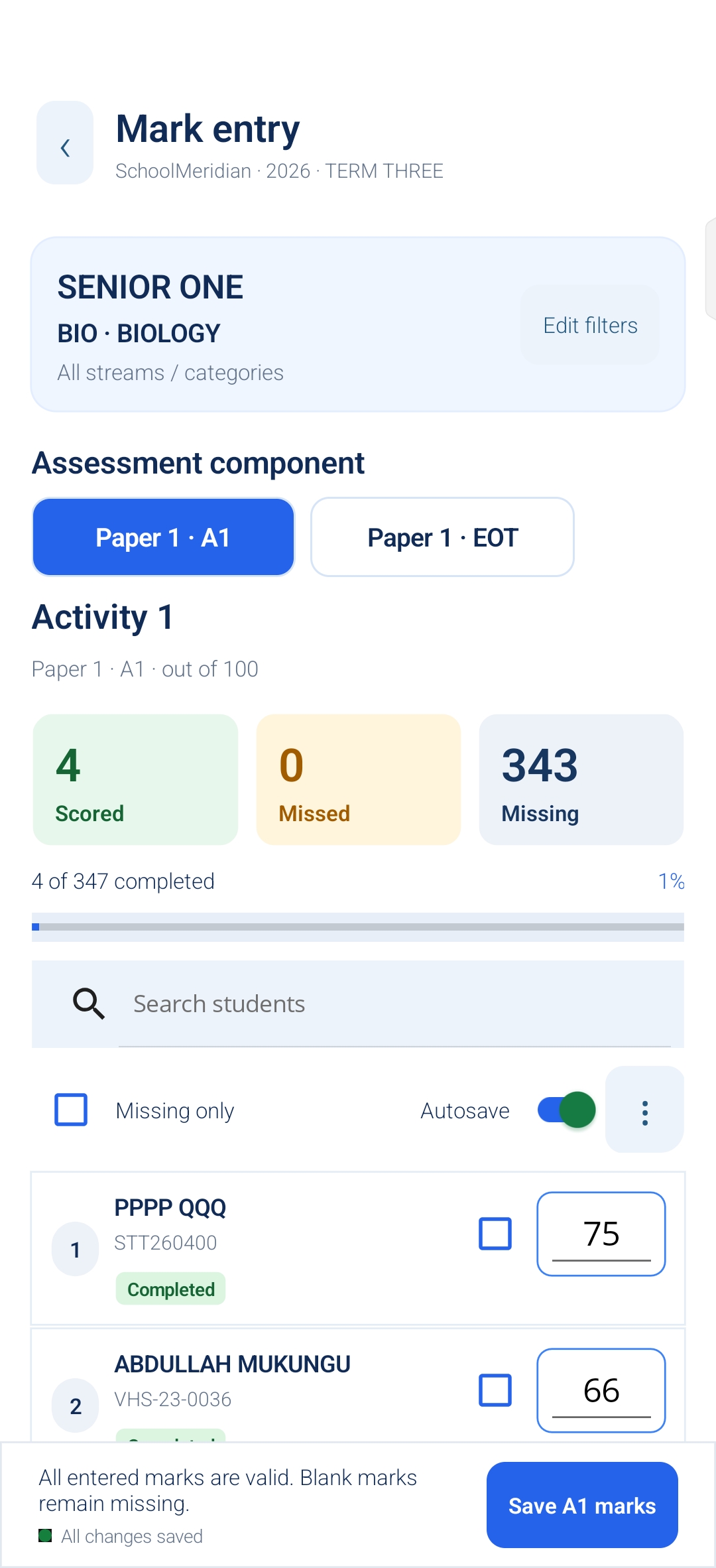
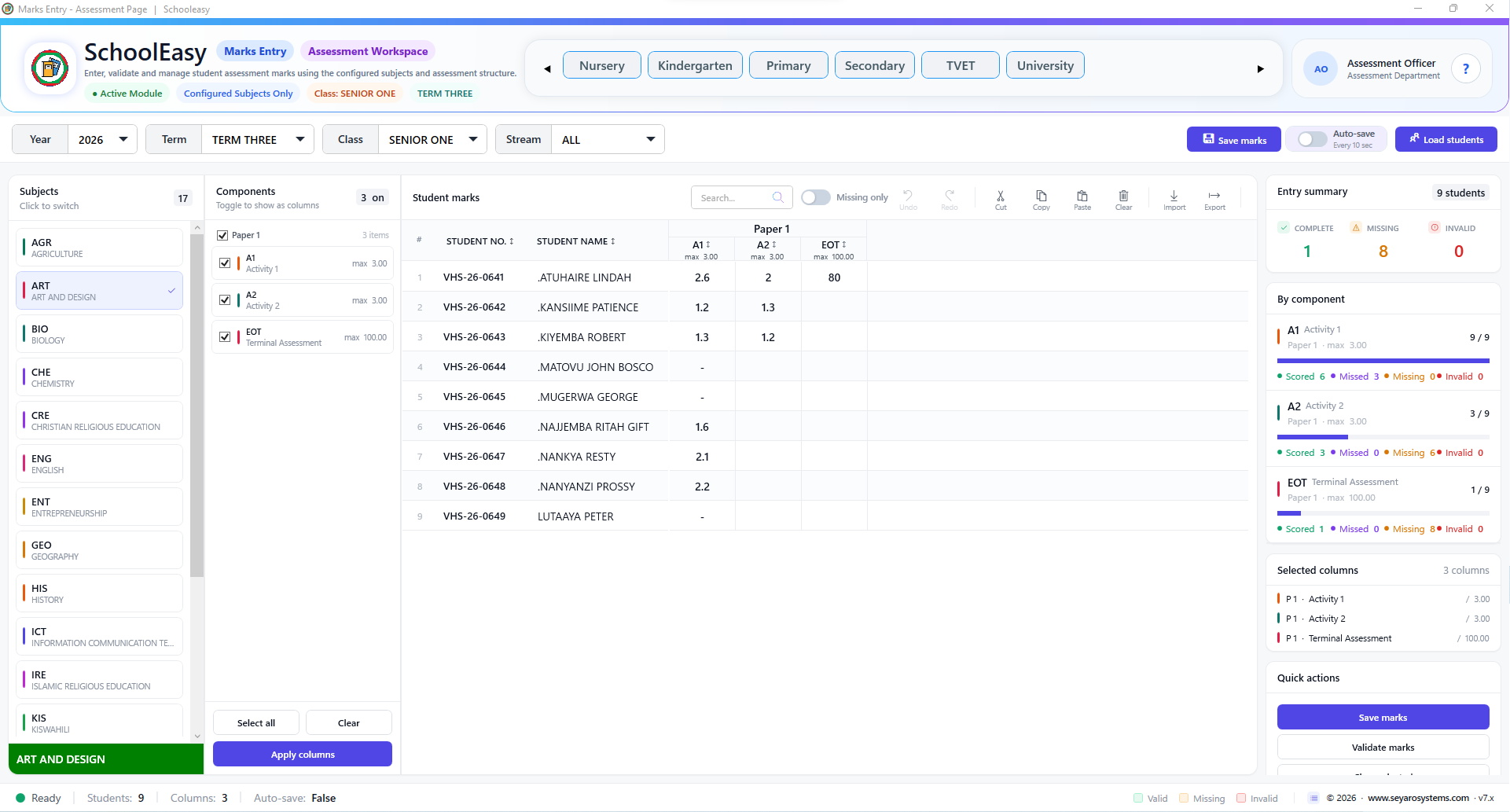
Enter assessment marks and track completed and missing entries.
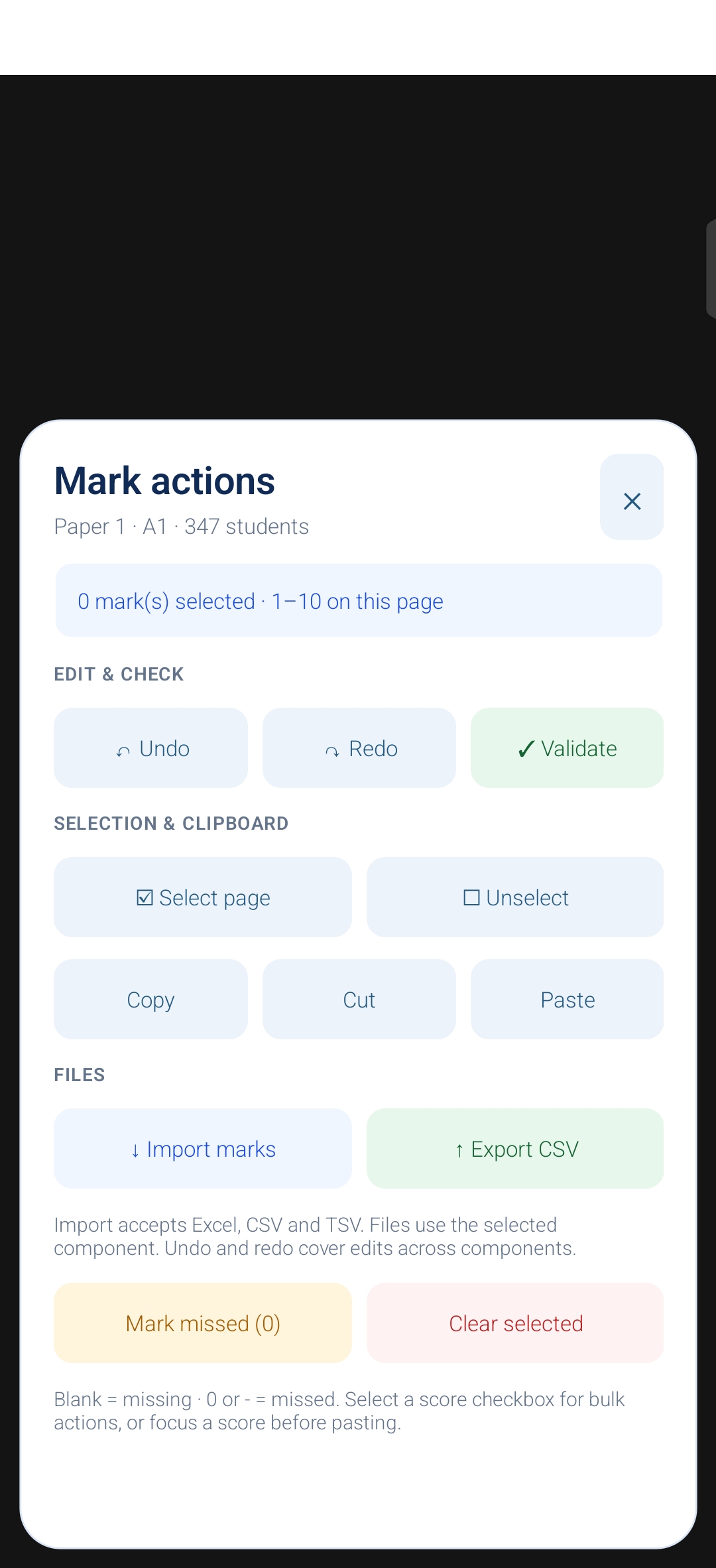
Validate marks, use clipboard actions, or import and export records.
Explore 44 application views, from admissions to report cards. Enlarge a preview or discover the workflow behind it.
Choose your server, department and role before signing in.
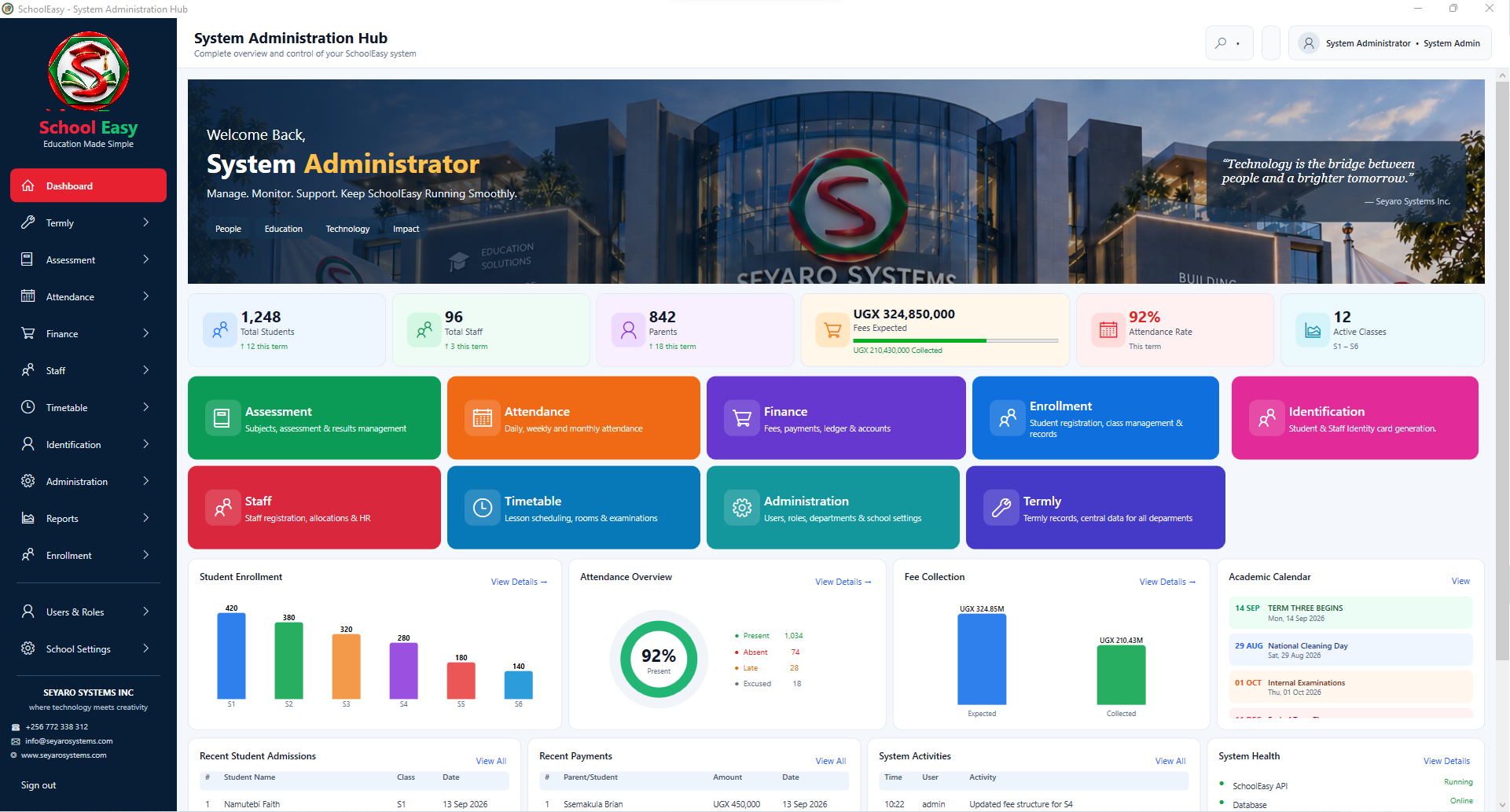
Explore this windowA central starting point for school operations.
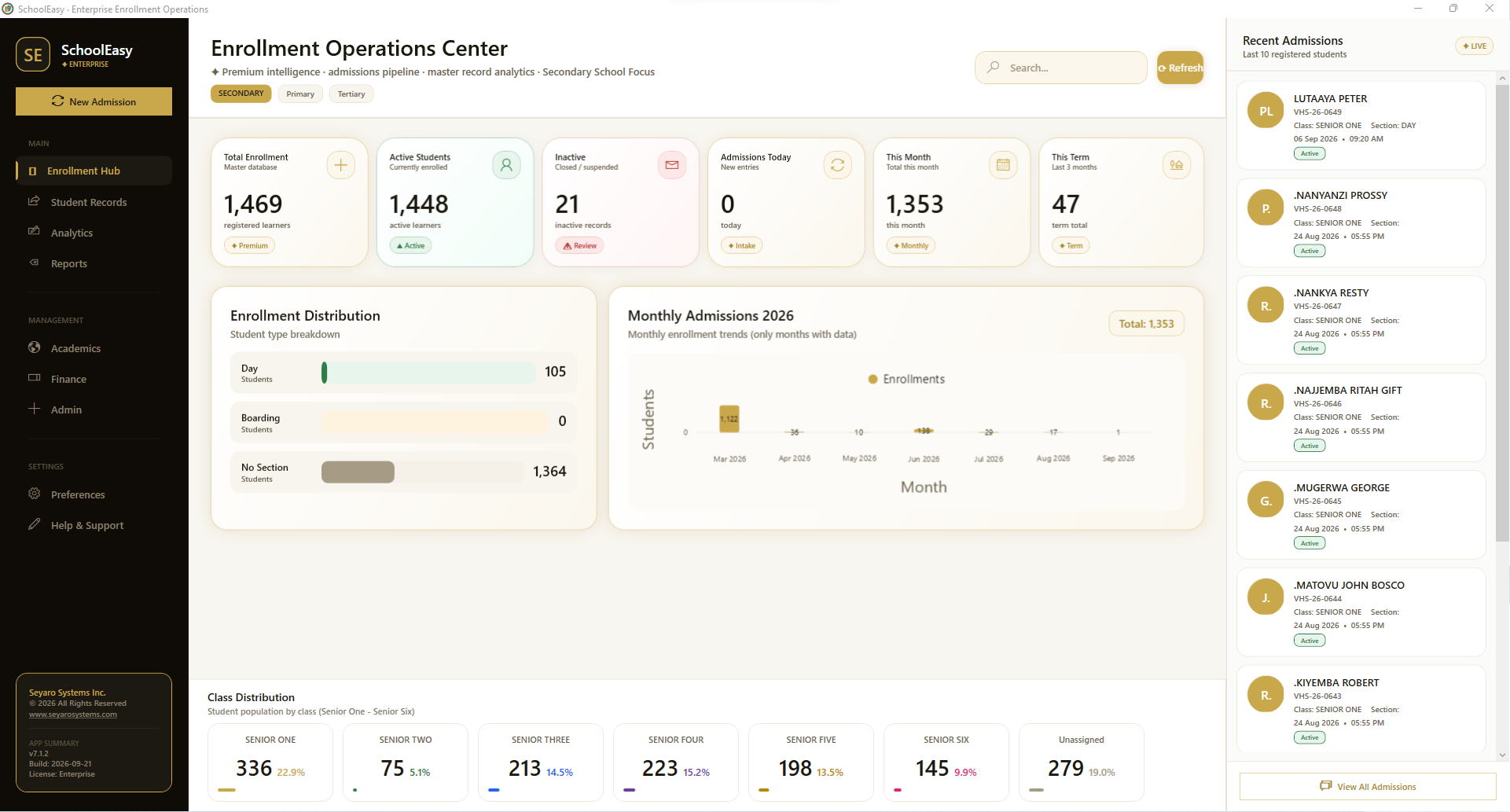
Explore this windowMonitor admissions and open student records.
Explore this windowMaintain the permanent student profile in one workspace.
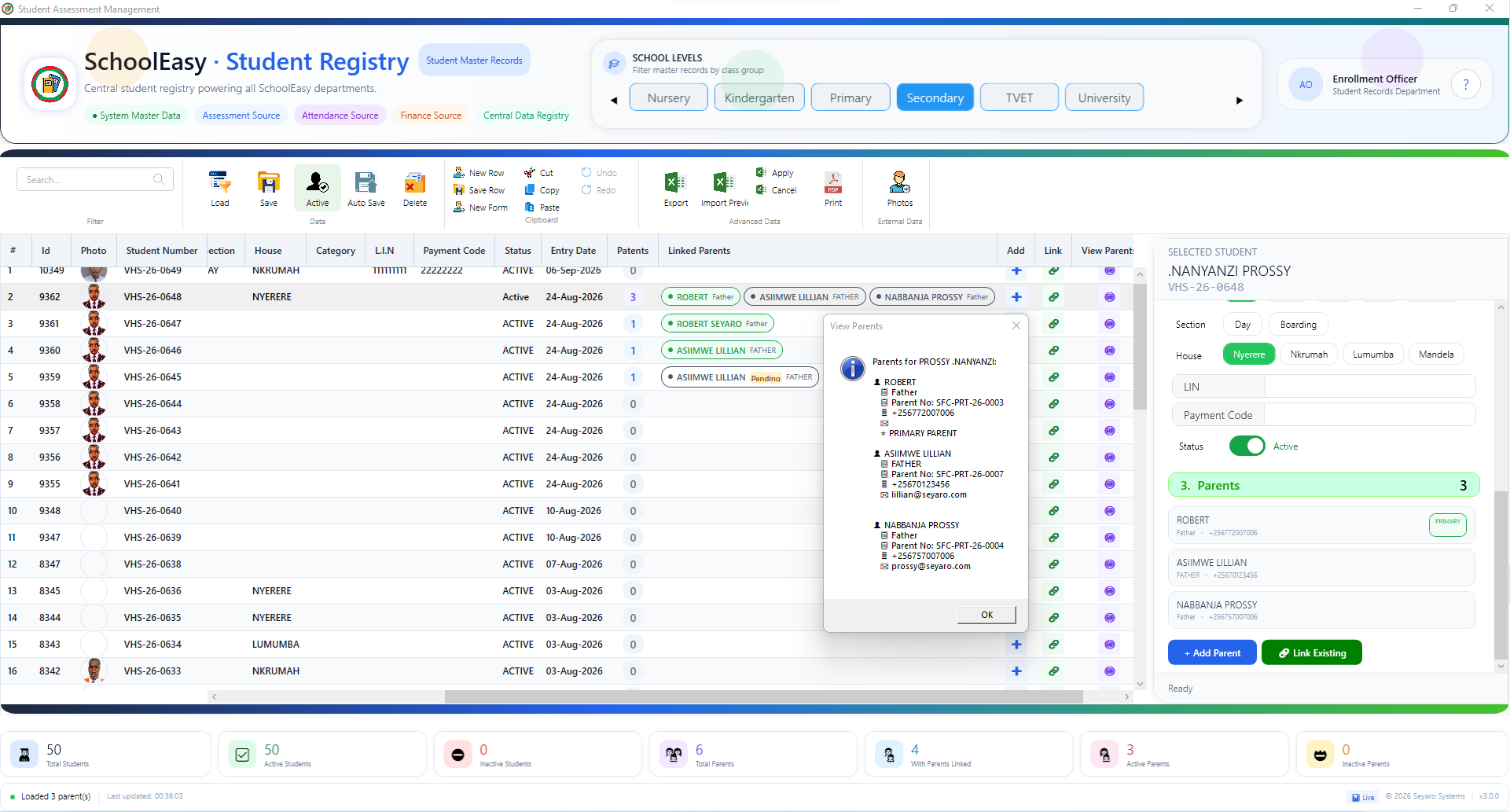
Explore this windowConnect students with their parents and guardians.
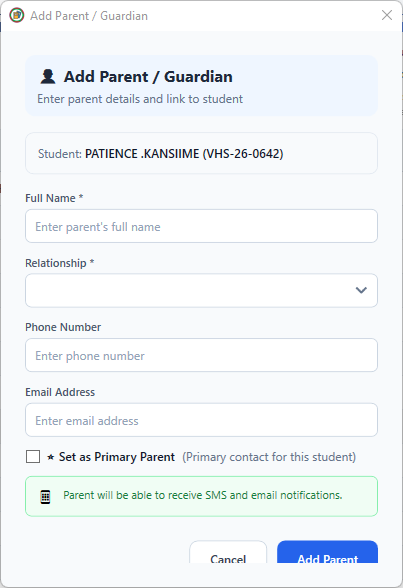
Explore this windowCreate a contact and link it to the selected student.
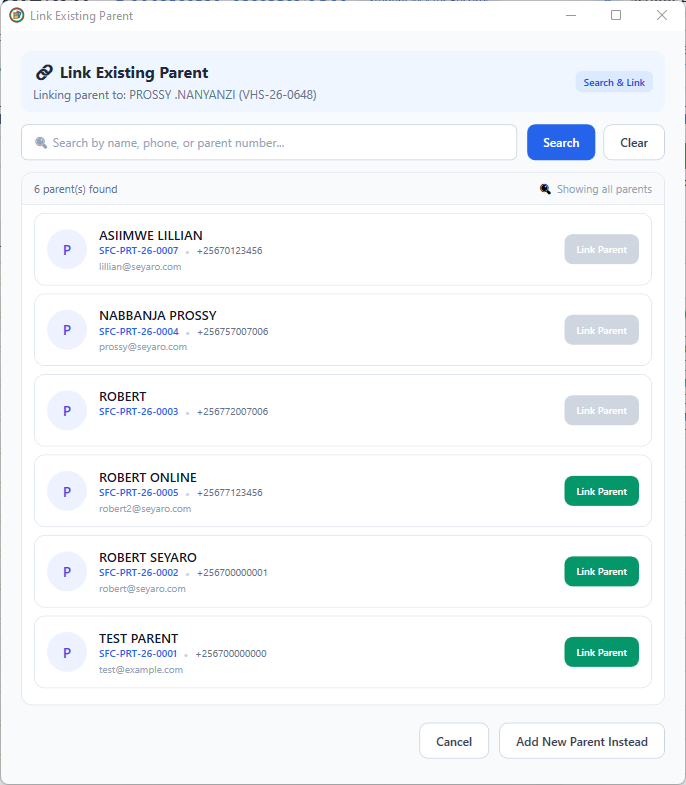
Explore this windowReuse an existing parent record for another student.
Explore this windowChoose the academic context before loading records.
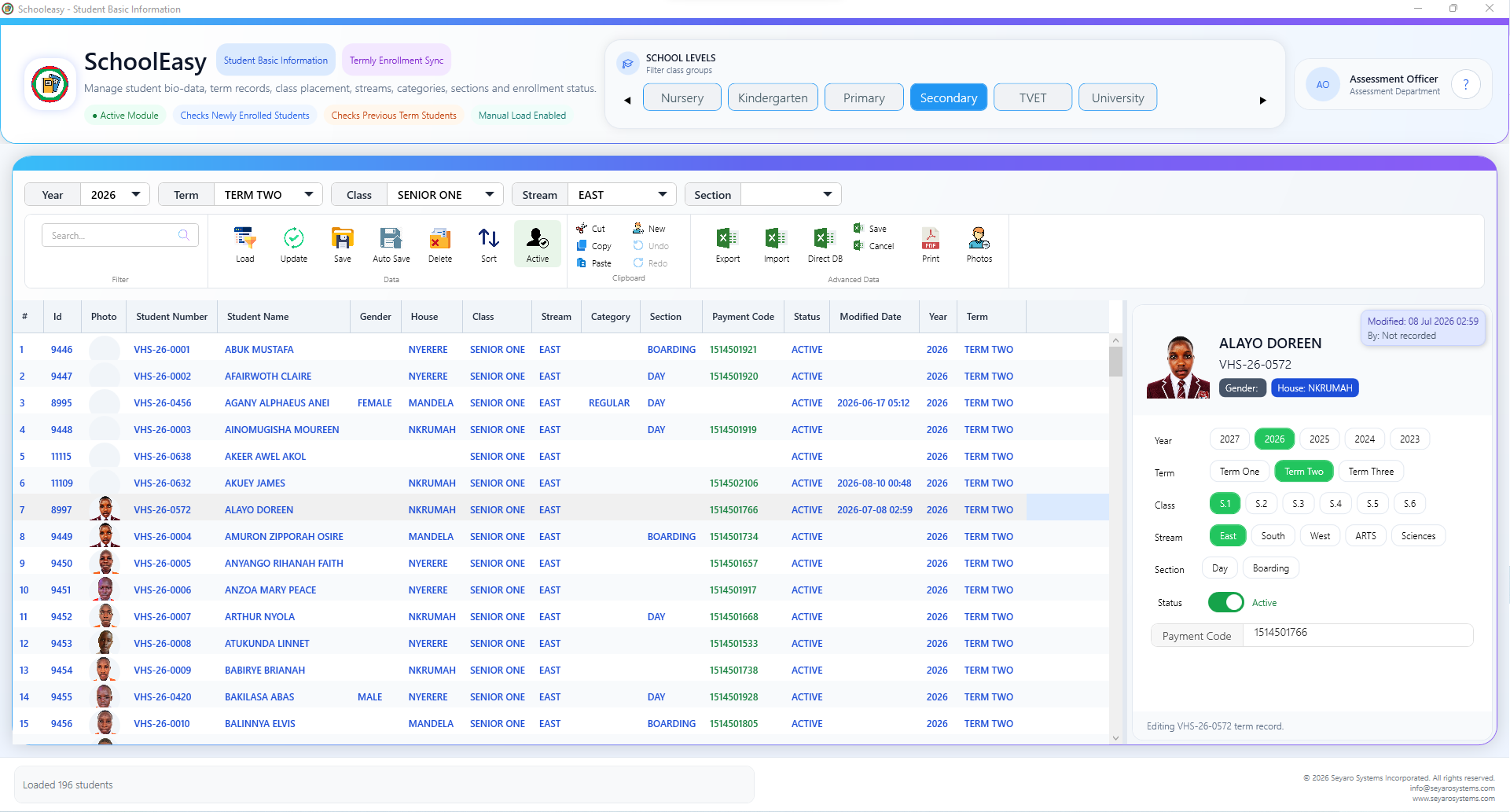
Explore this windowManage enrollment details for a specific term.
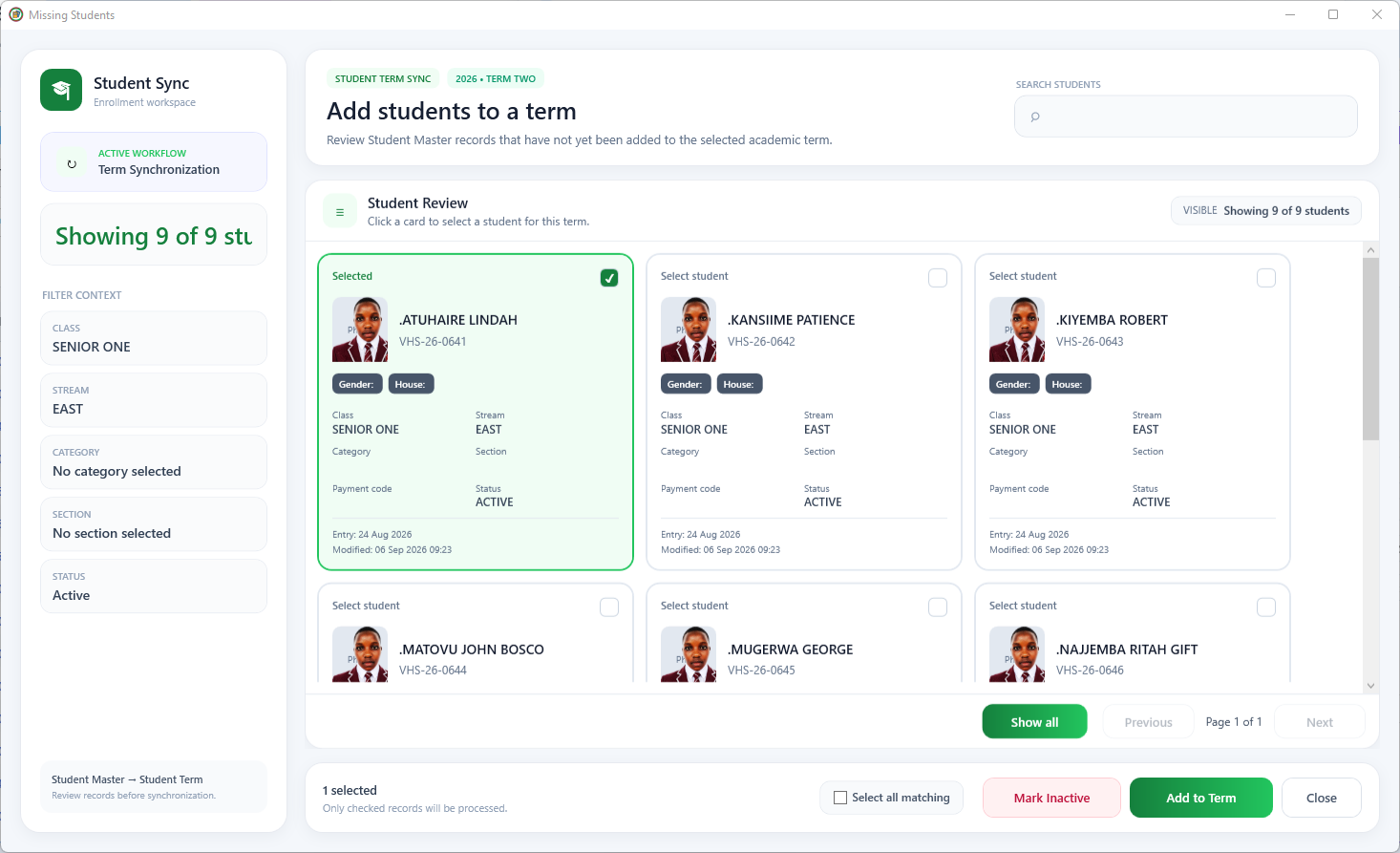
Explore this windowReview eligible students before including them.
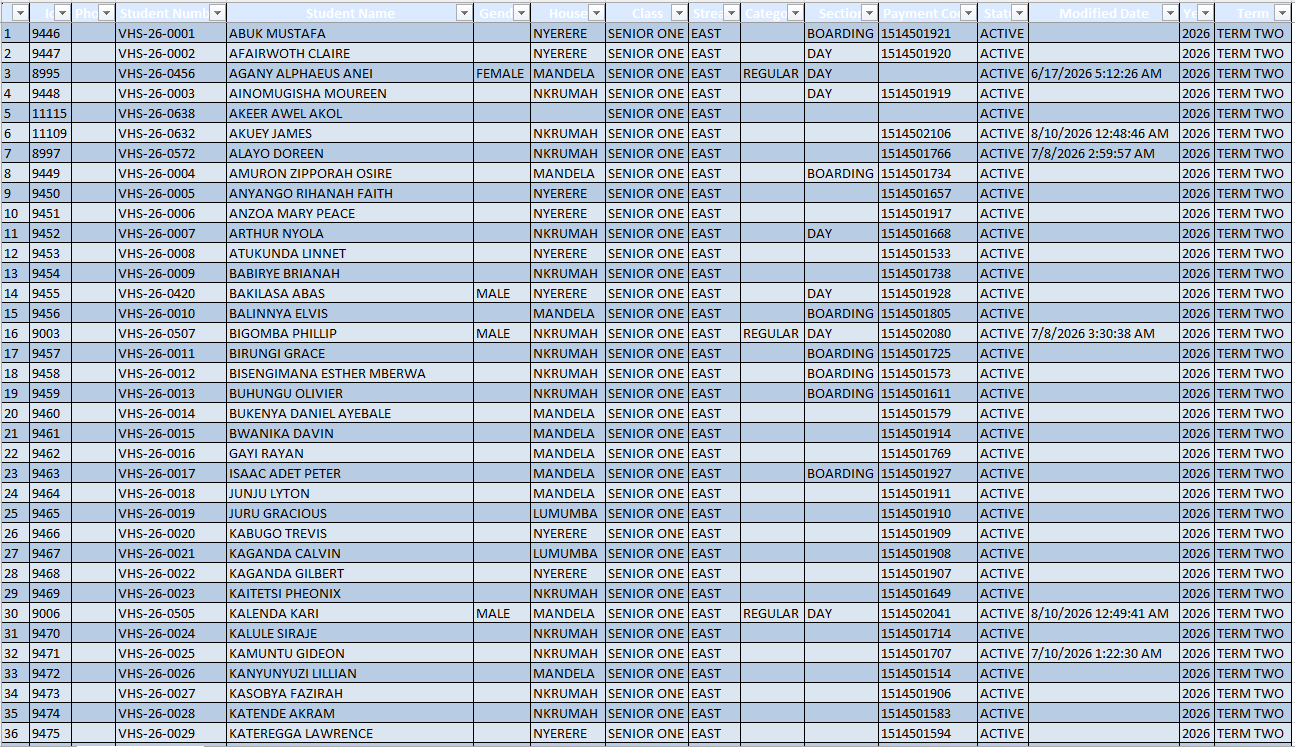
Explore this windowInspect student and term fields side by side.
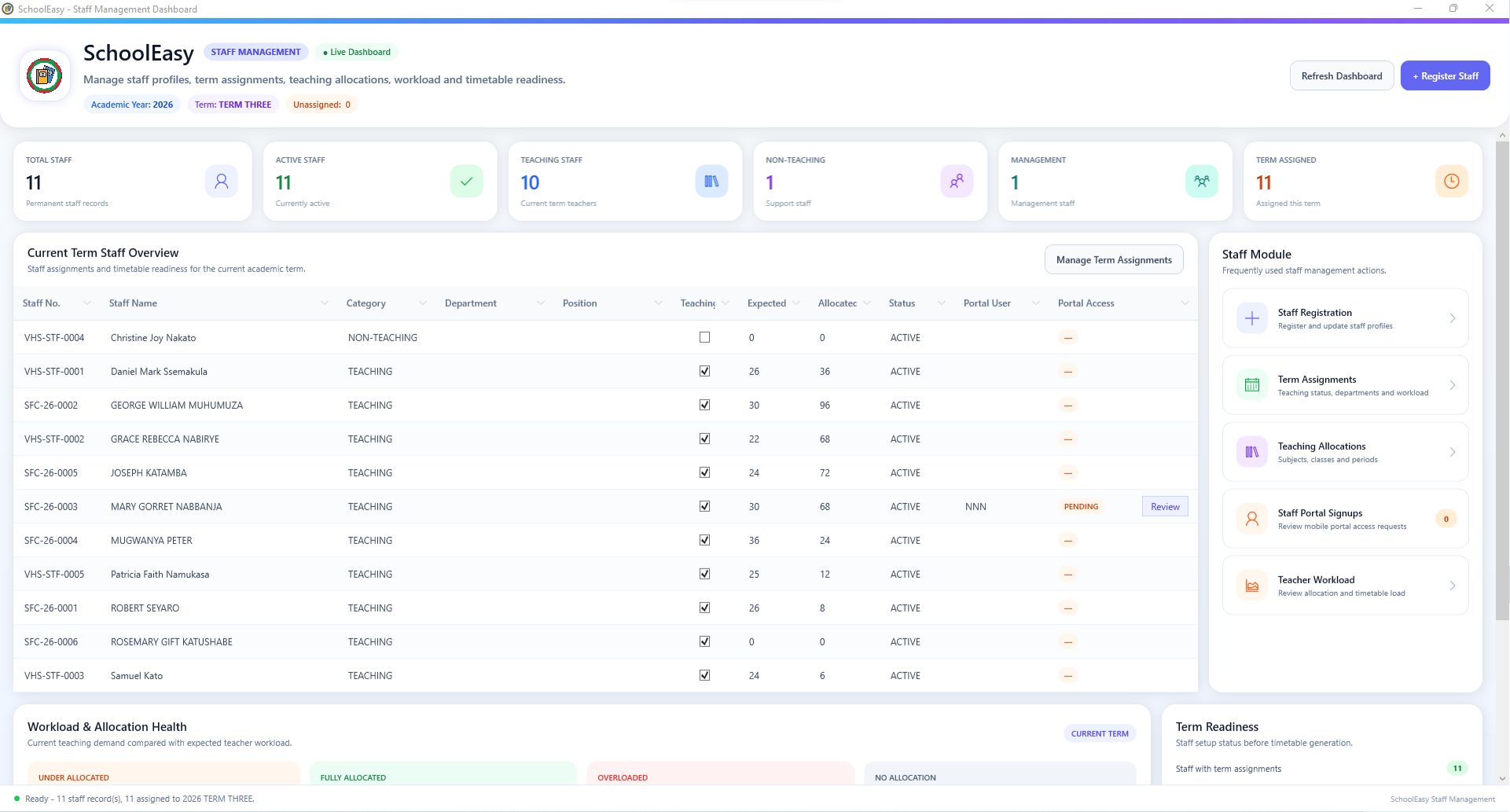
Explore this windowReview staffing, assignments and workload coverage.
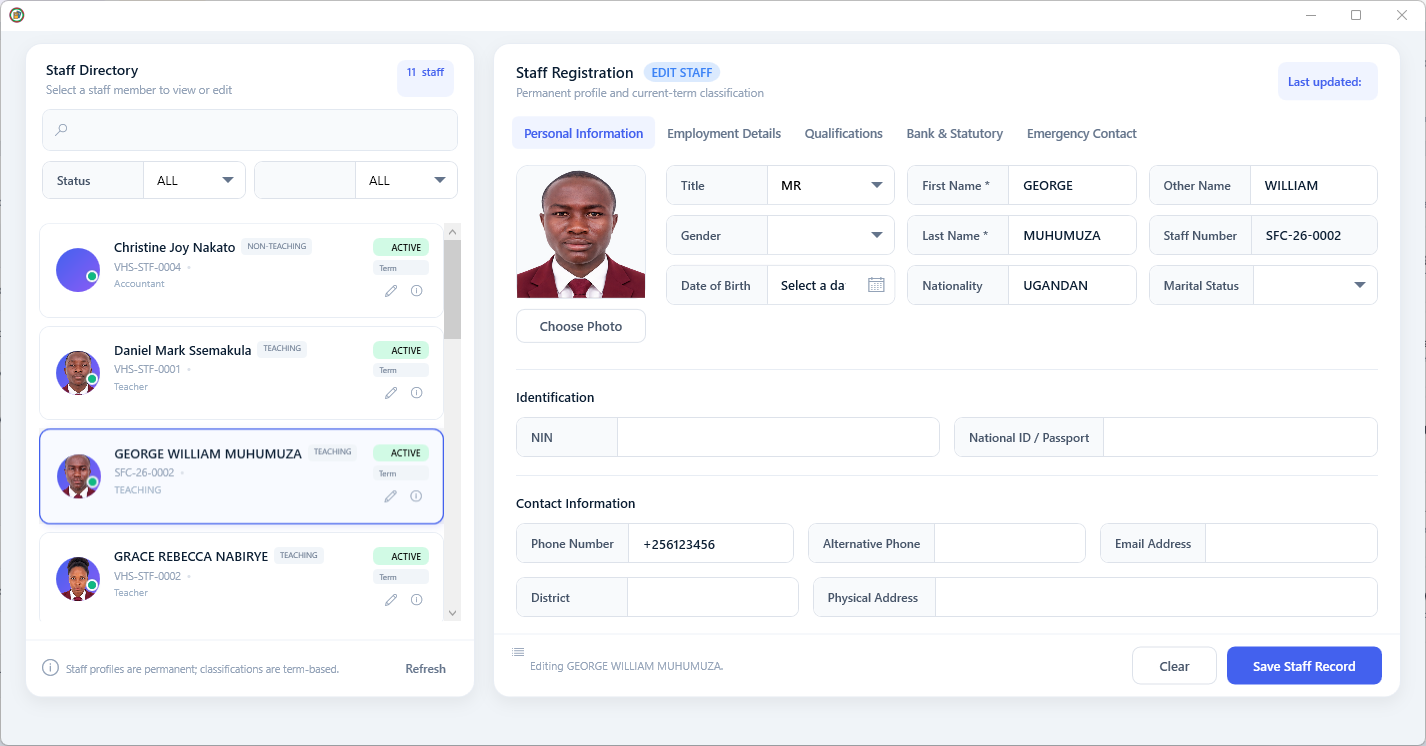
Explore this windowCreate and maintain a complete staff profile.
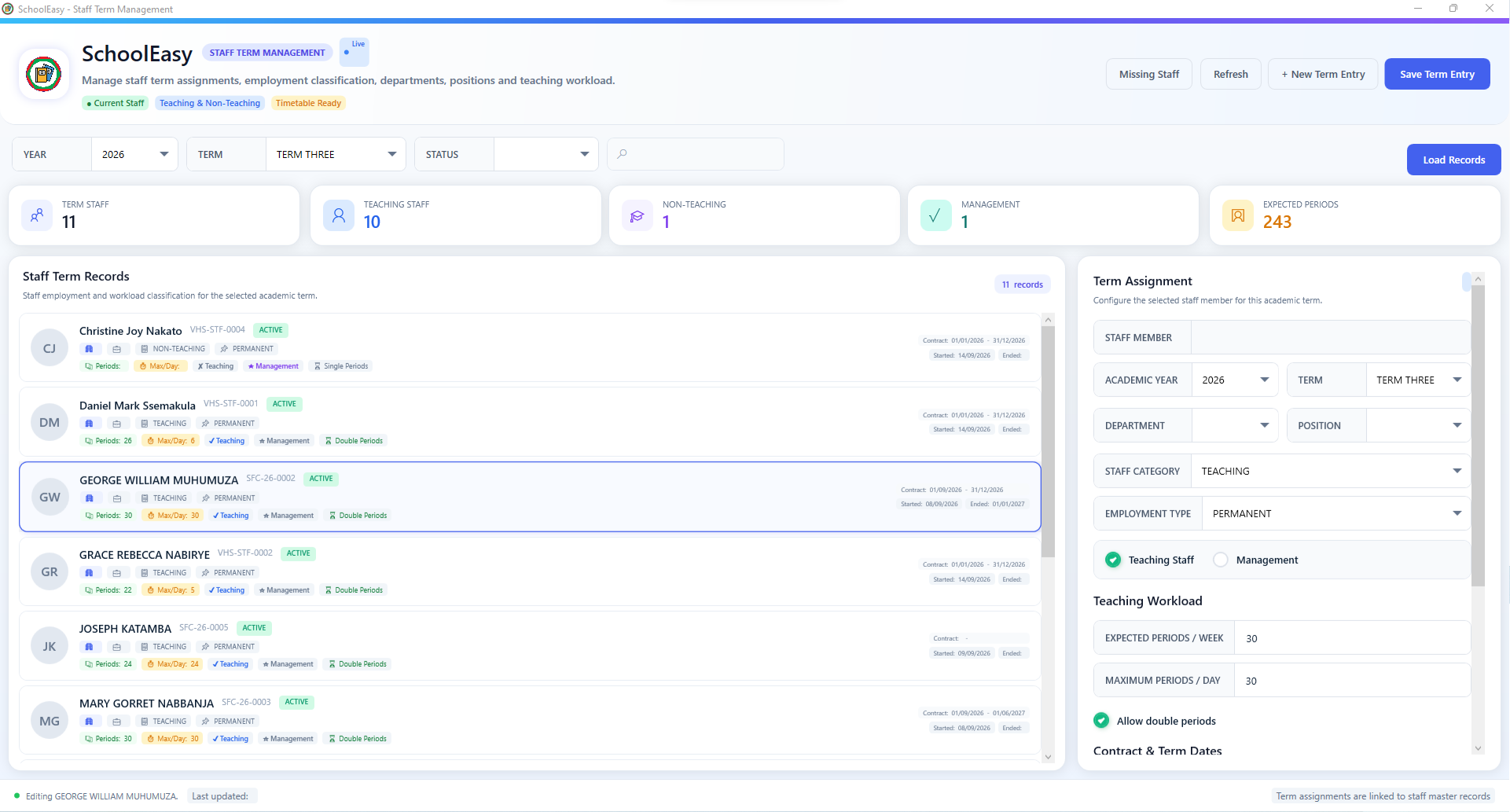
Explore this windowSet responsibilities and teaching workload by term.
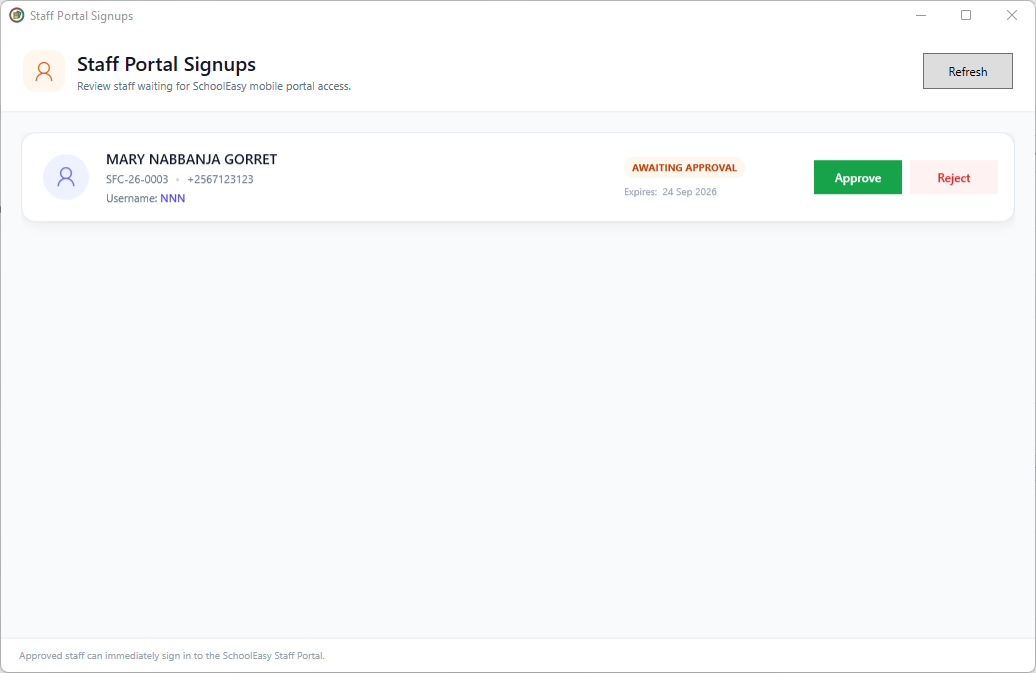
Explore this windowApprove or reject staff access requests.
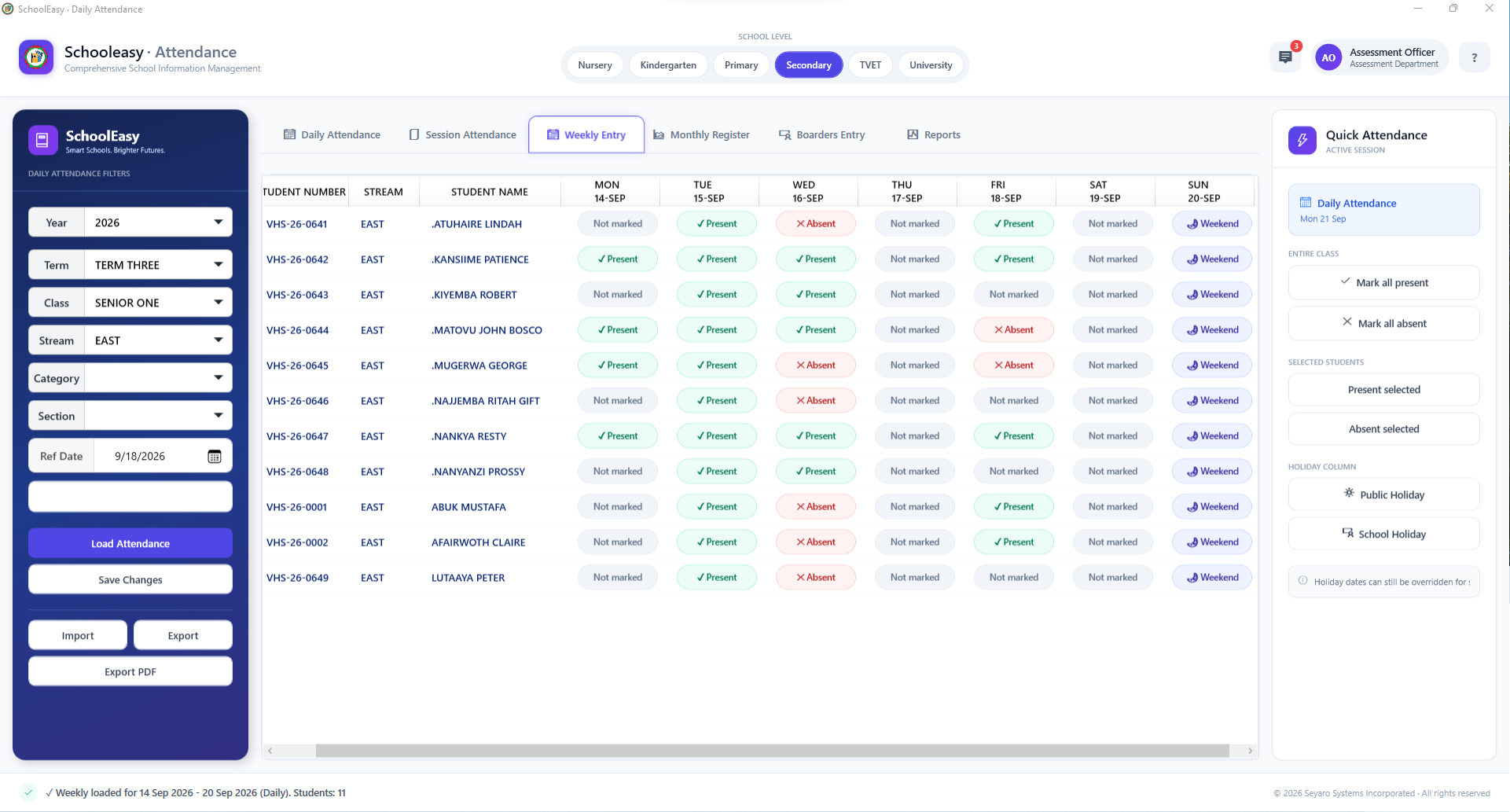
Explore this windowRecord attendance for a selected day and session.
Explore this windowWork through the week's register in one grid.
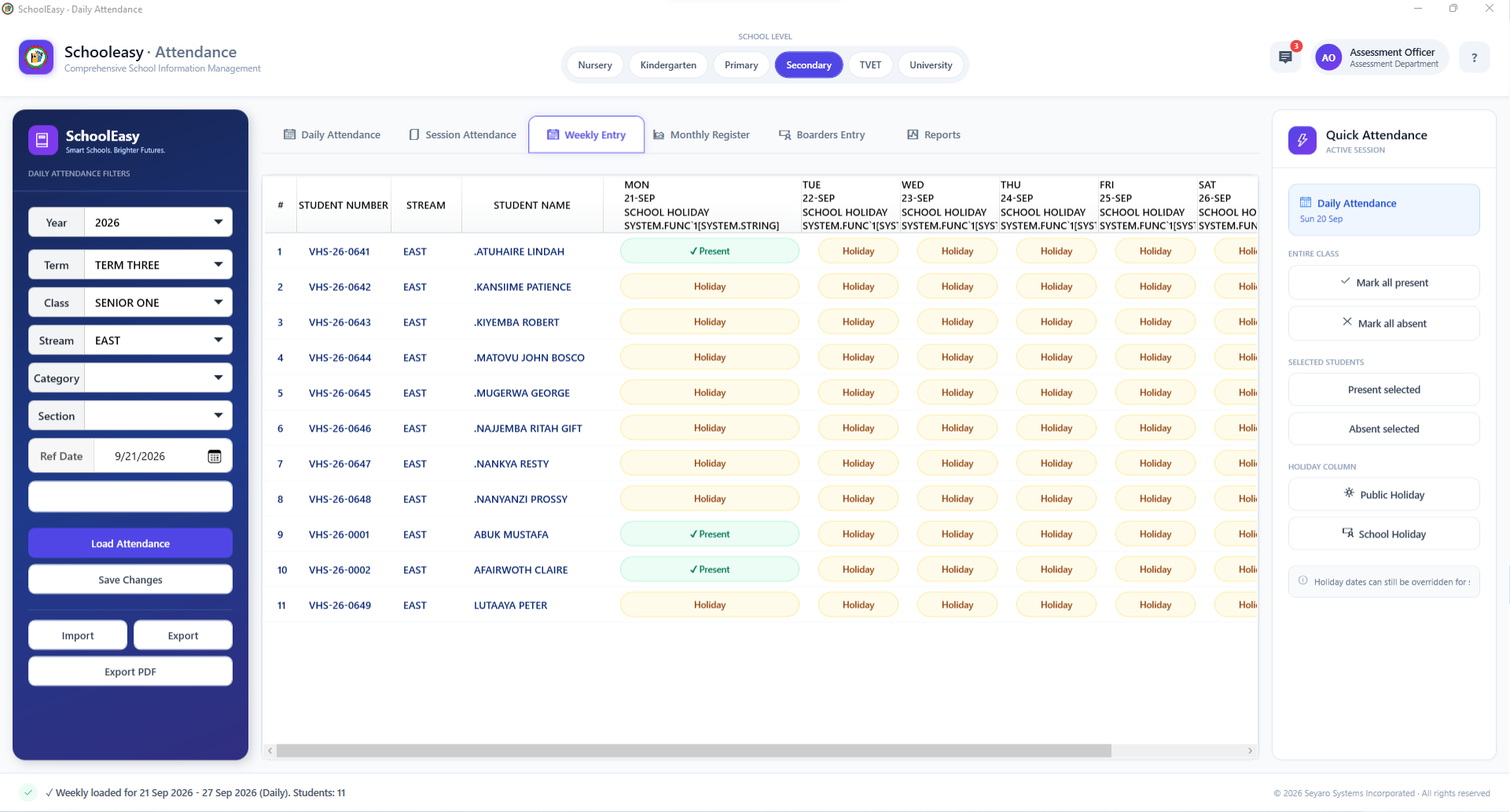
Explore this windowRepresent closures clearly in the weekly register.
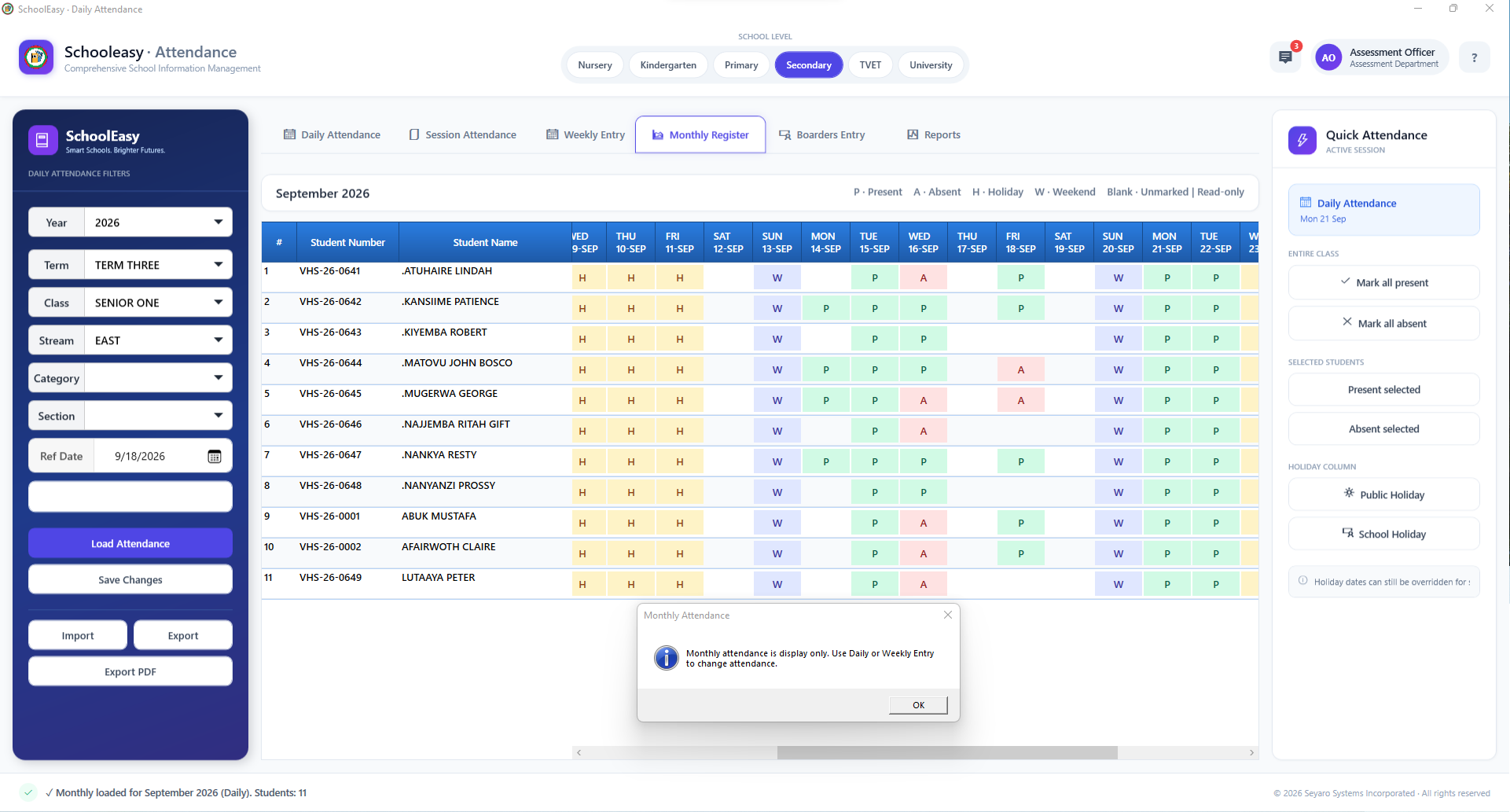
Explore this windowRead the attendance pattern across a whole month.
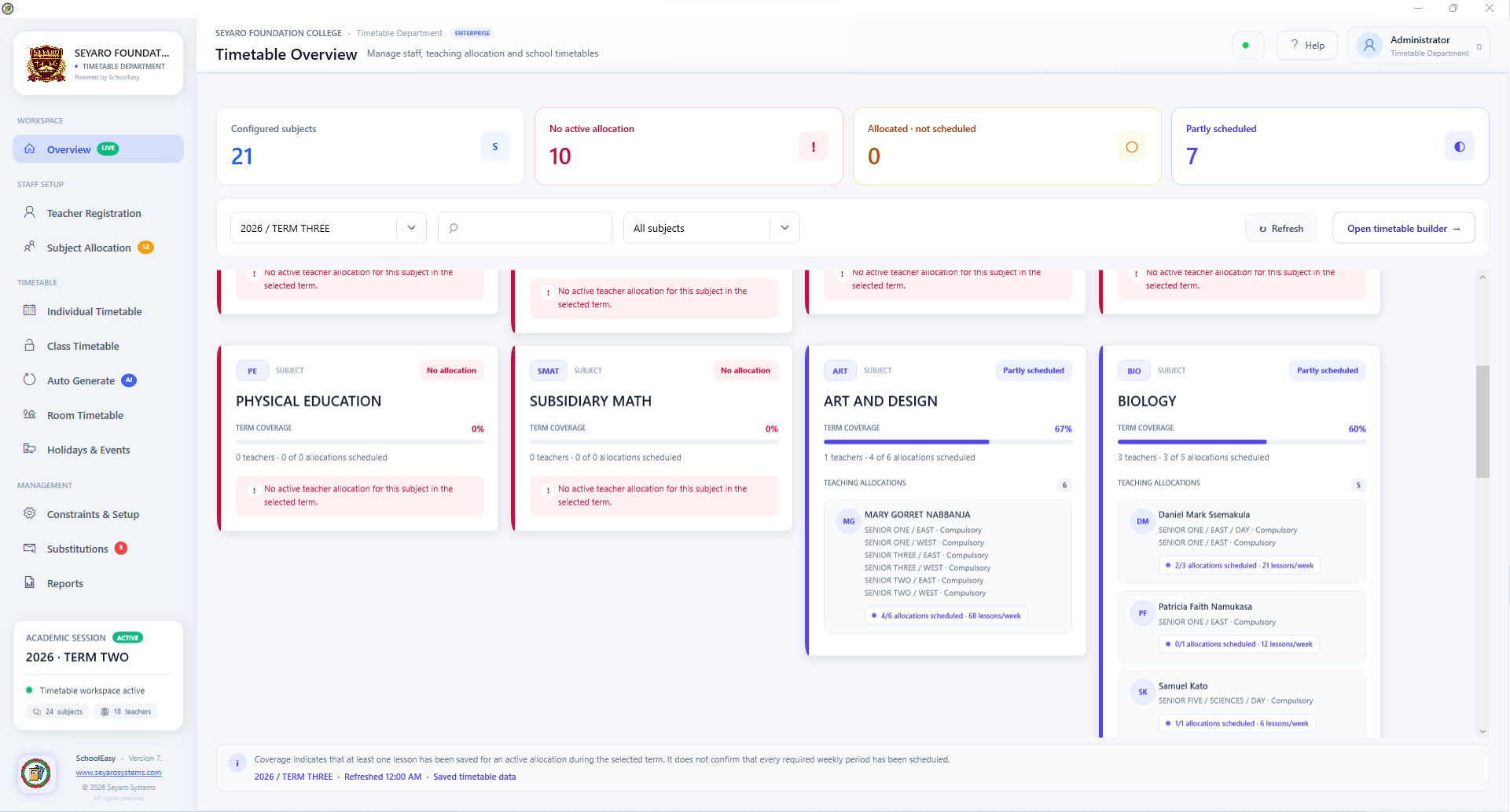
Explore this windowFind subjects without allocations or complete schedules.
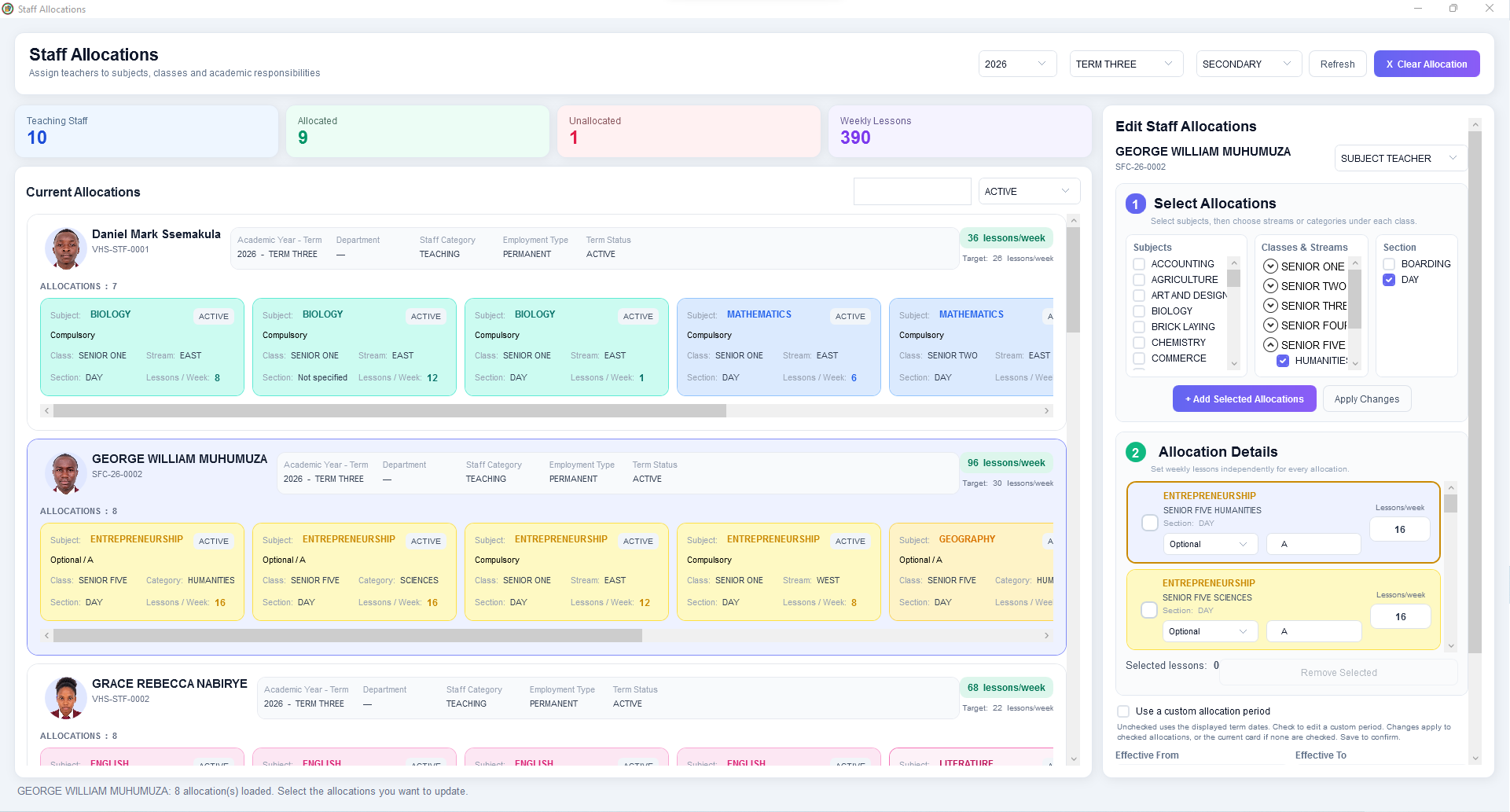
Explore this windowAssign subjects, classes and weekly lesson requirements.
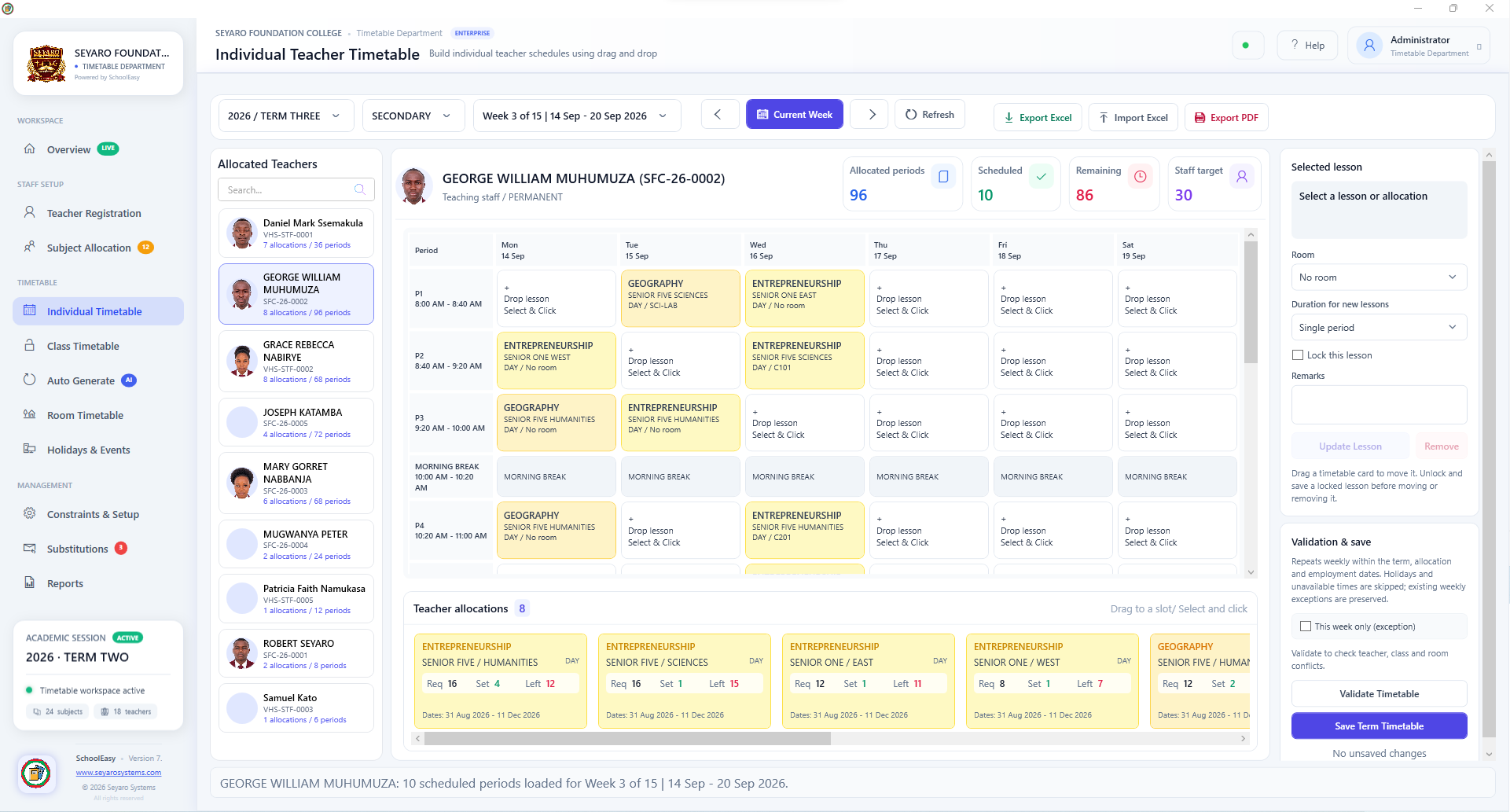
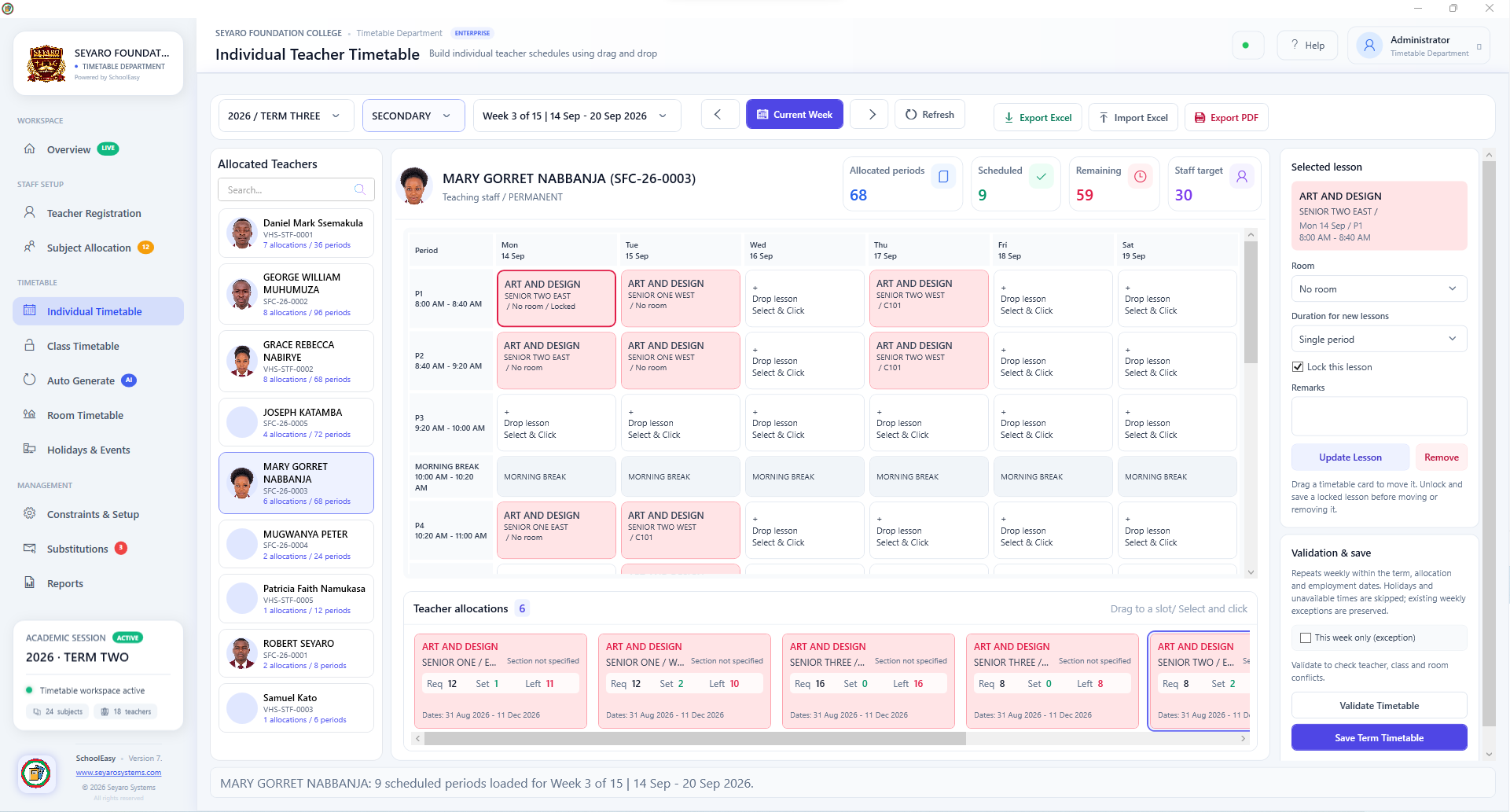
Explore this windowArrange a teacher's lessons across the week.
Explore this windowRefine a selected lesson before saving.
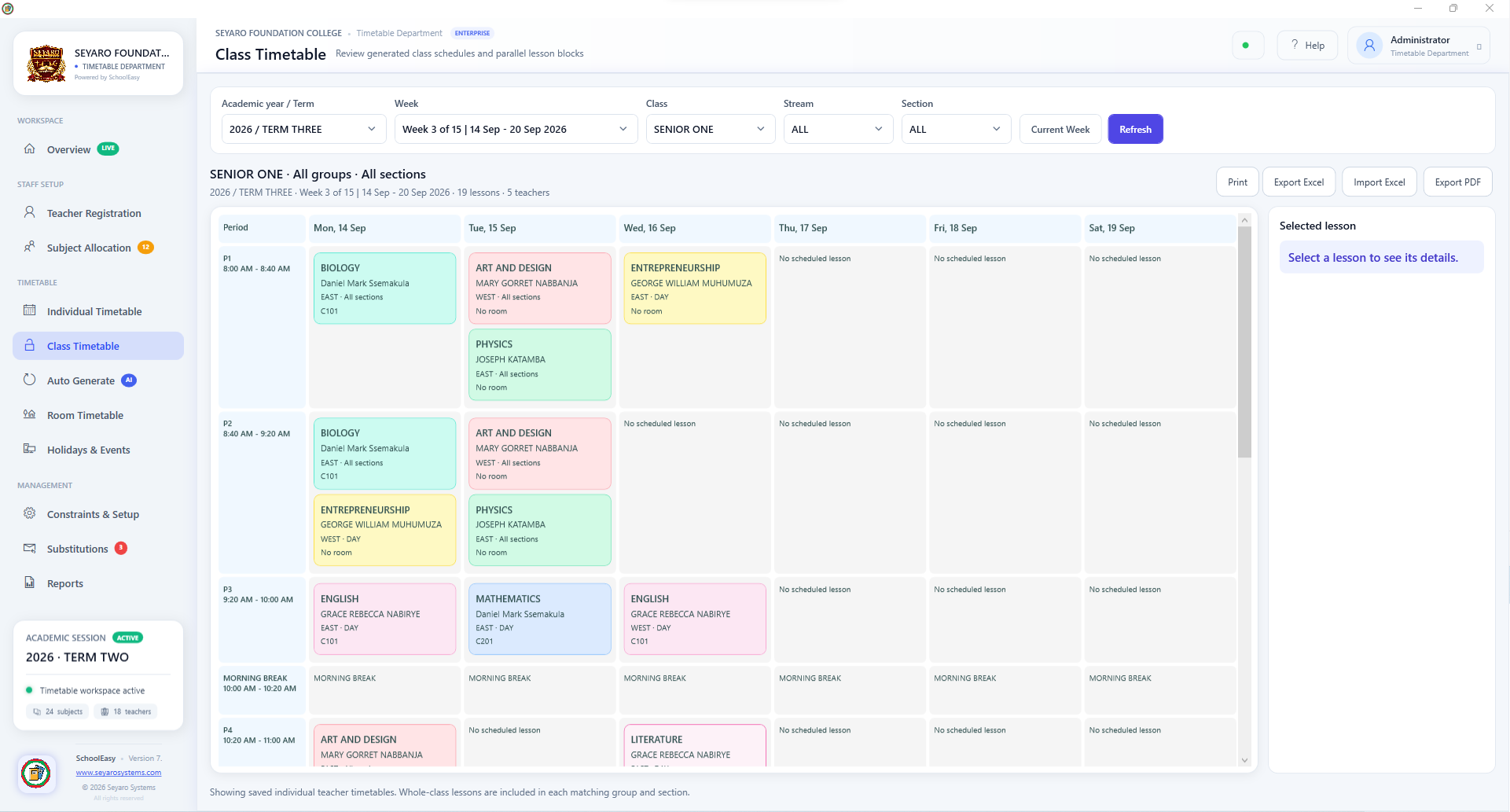
Explore this windowSee a class's scheduled subjects and teachers.
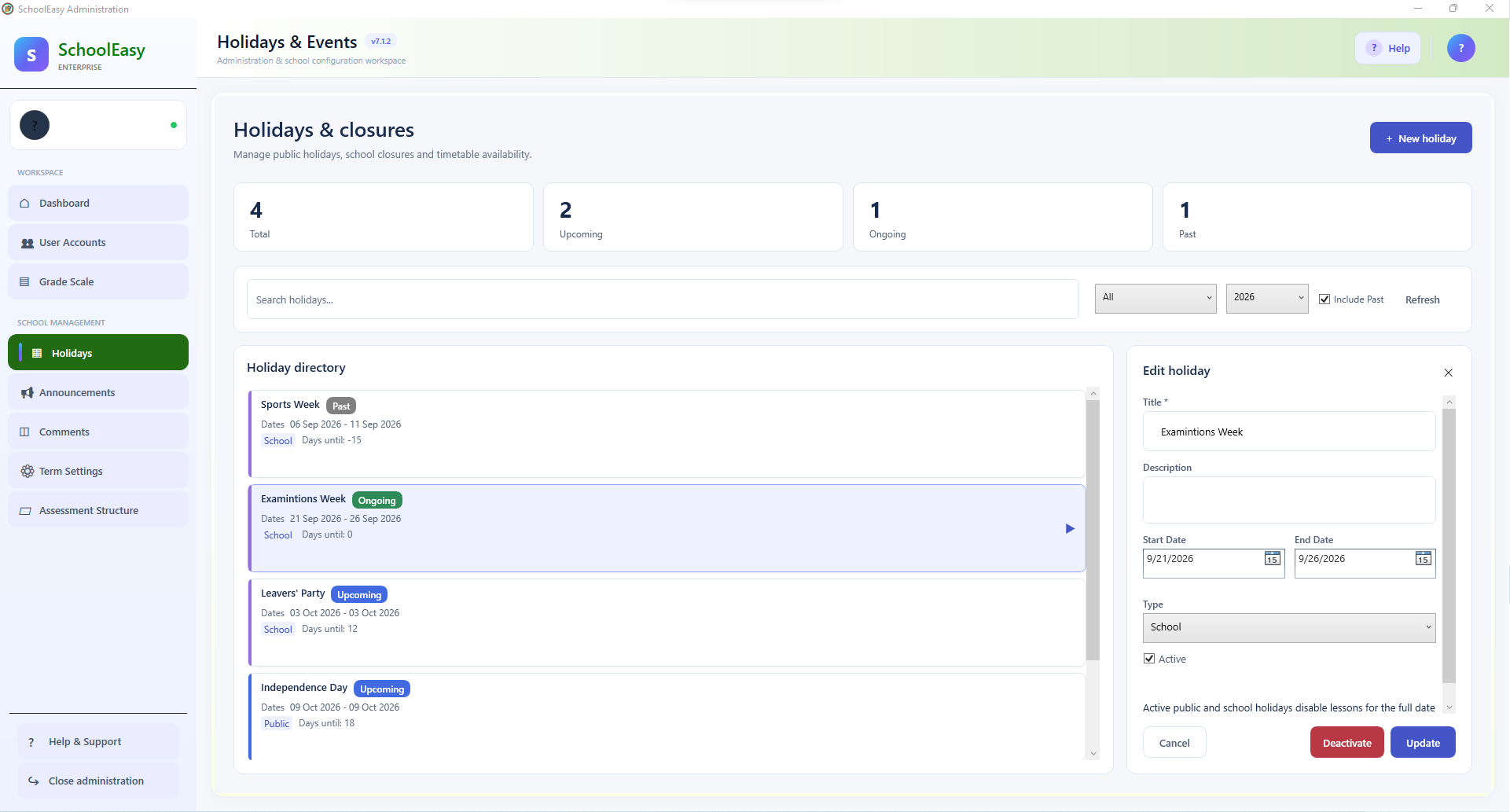
Explore this windowSee how school holidays affect lesson availability.
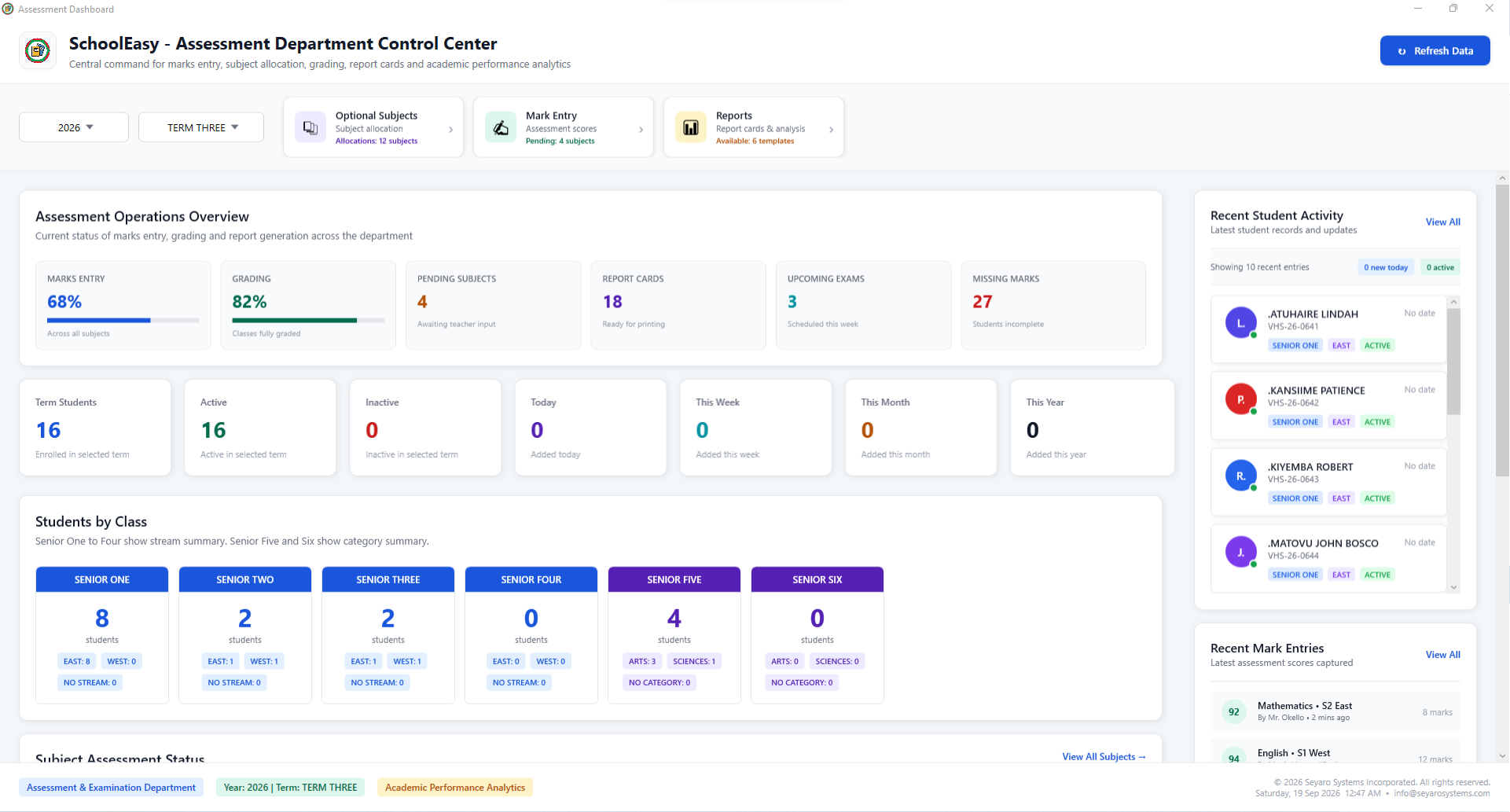
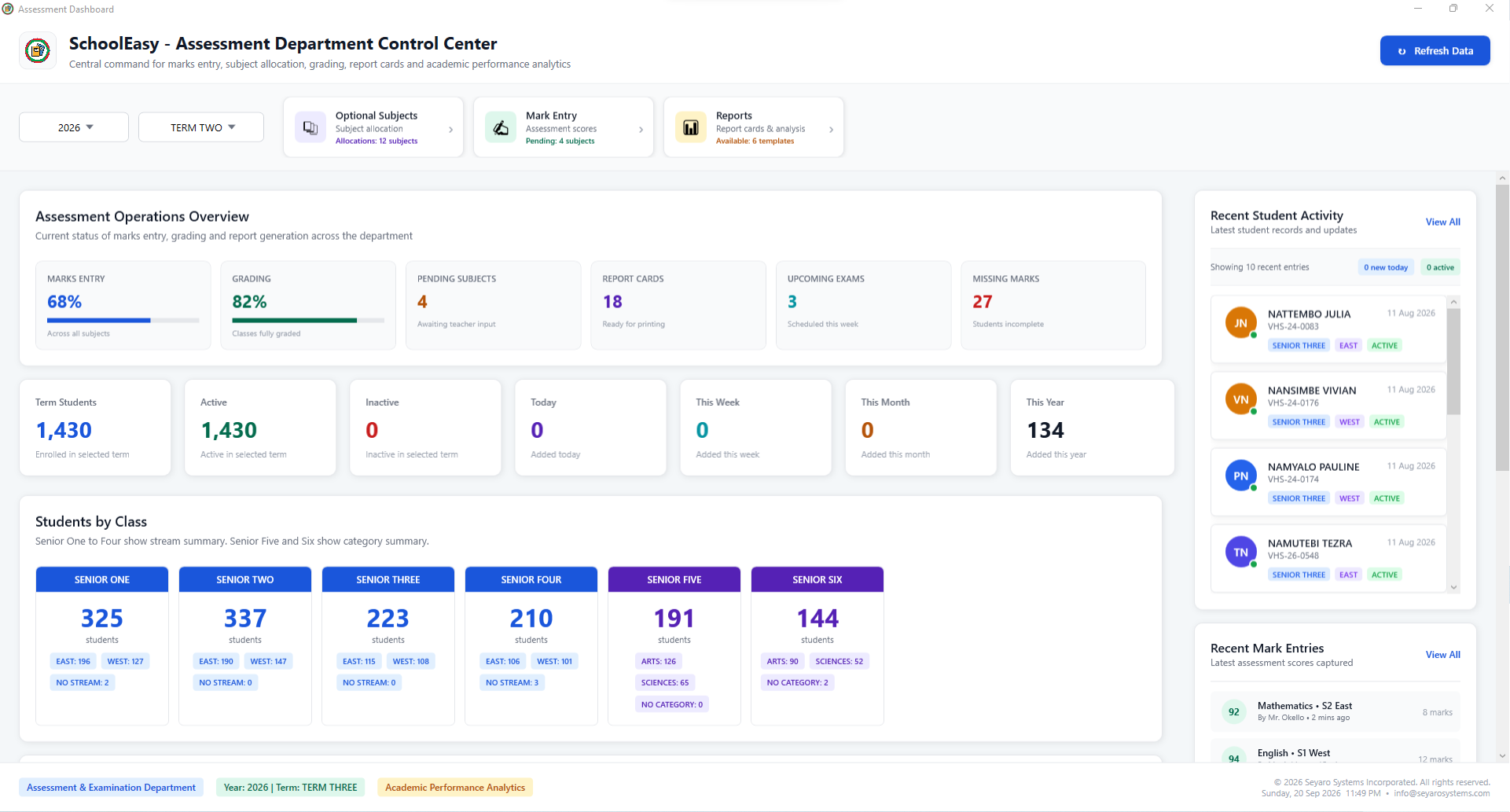
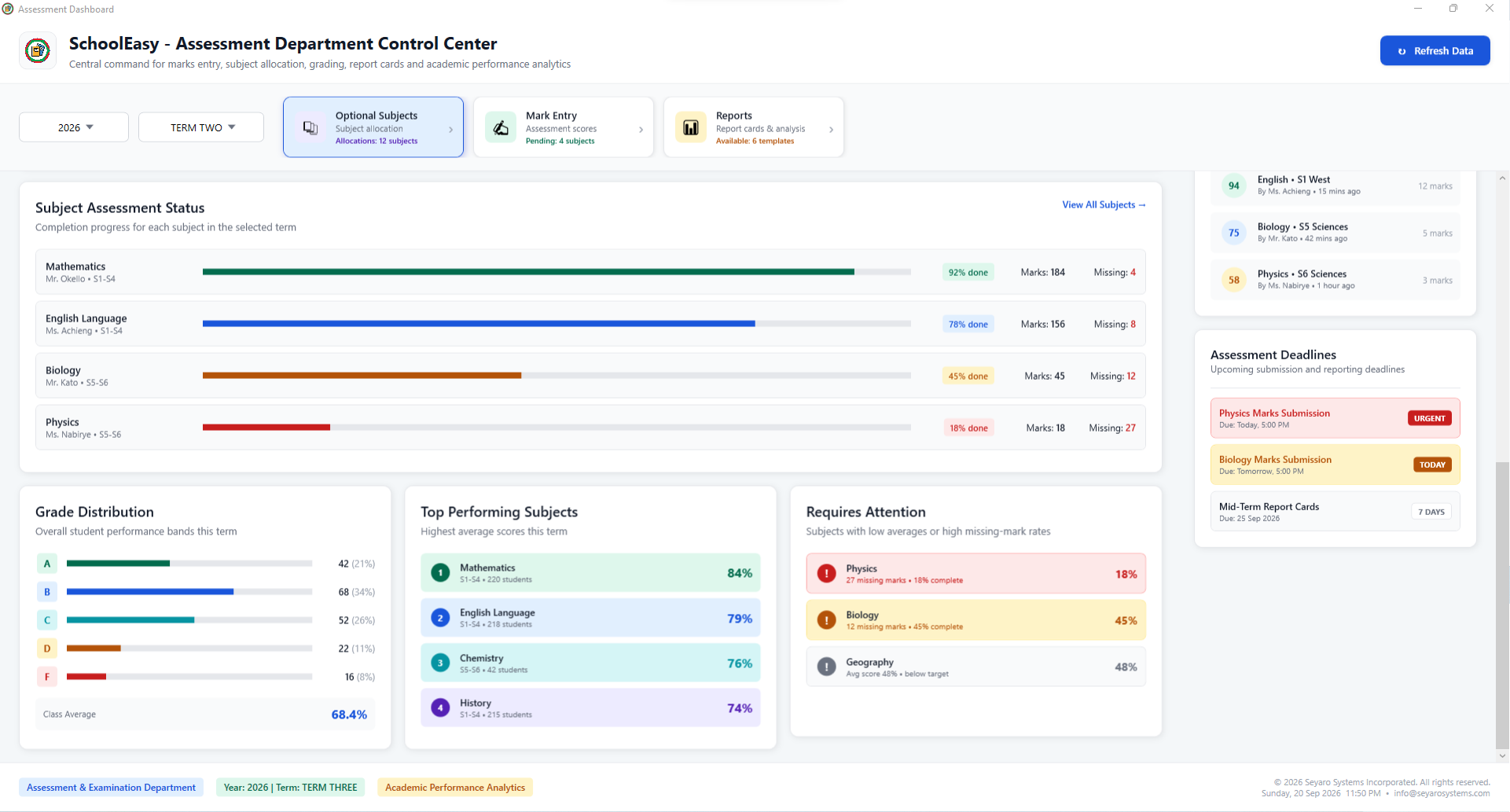
Explore this windowKeep marks, grading and reporting work in view.
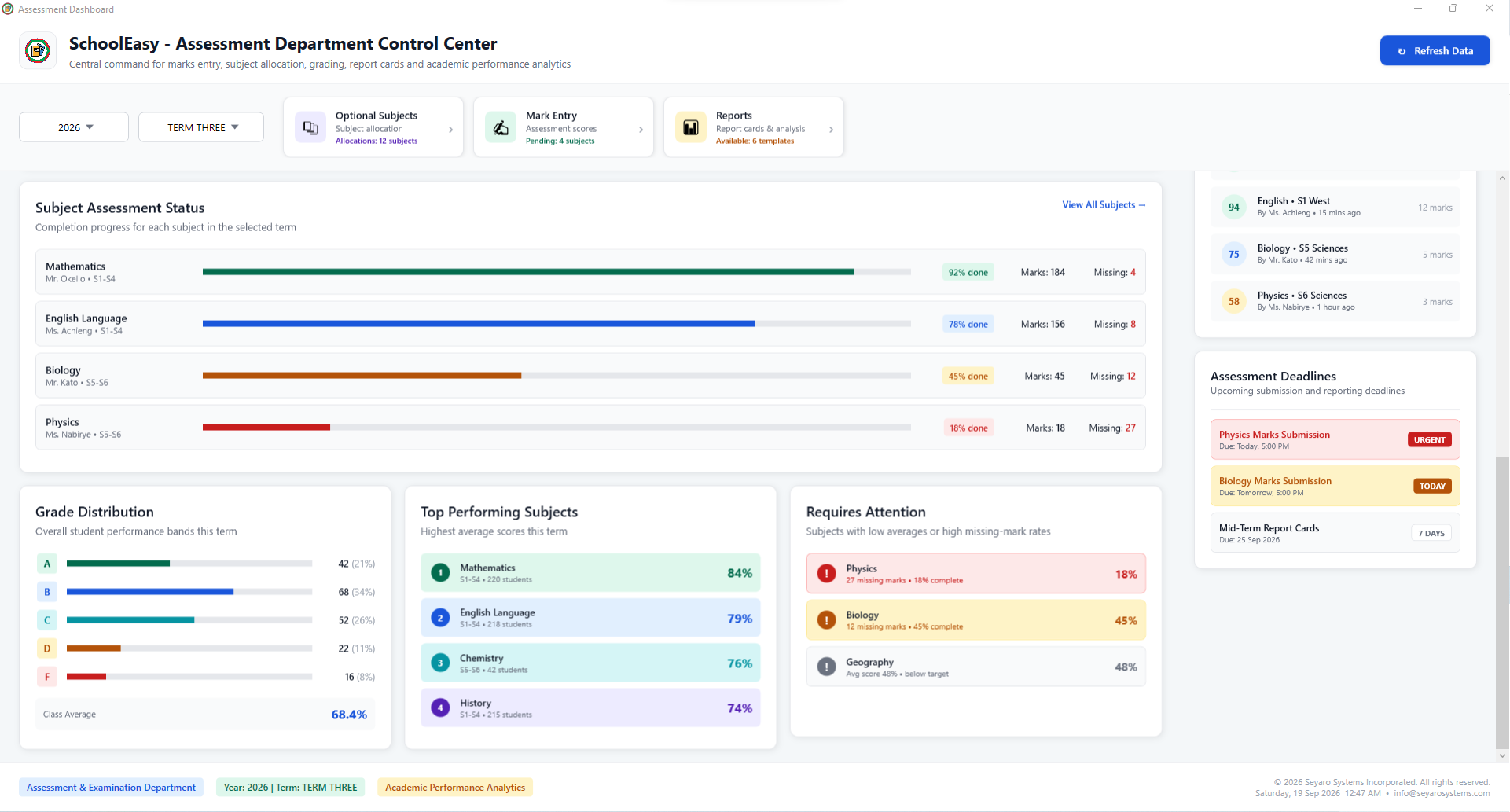
Explore this windowReview subject completion and outstanding work.
Explore this windowConnect student enrollment with assessment readiness.
Explore this windowCompare progress, grade distribution and attention areas.
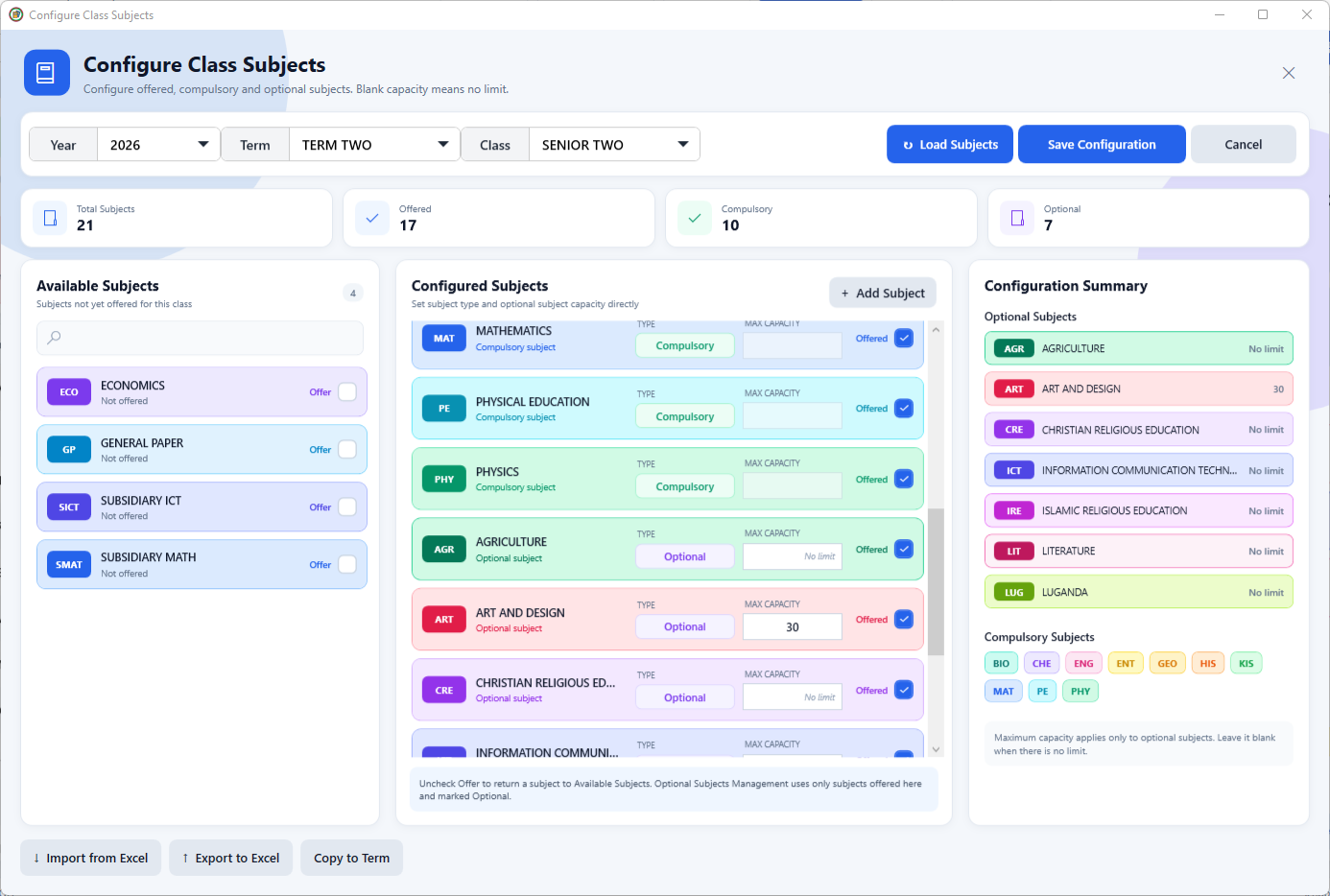
Explore this windowDefine offered, compulsory and optional subjects.
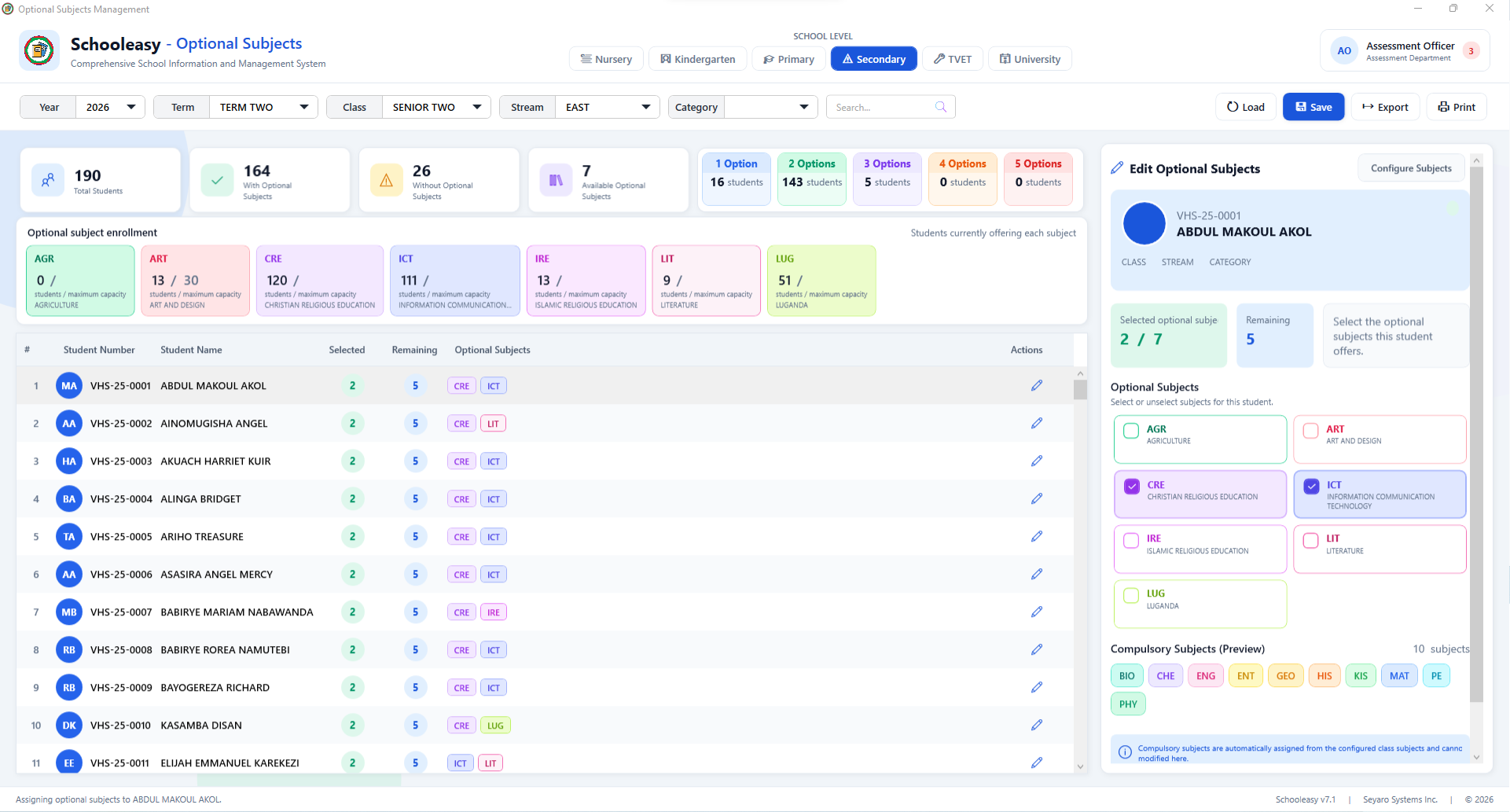
Explore this windowManage each student's subject choices.
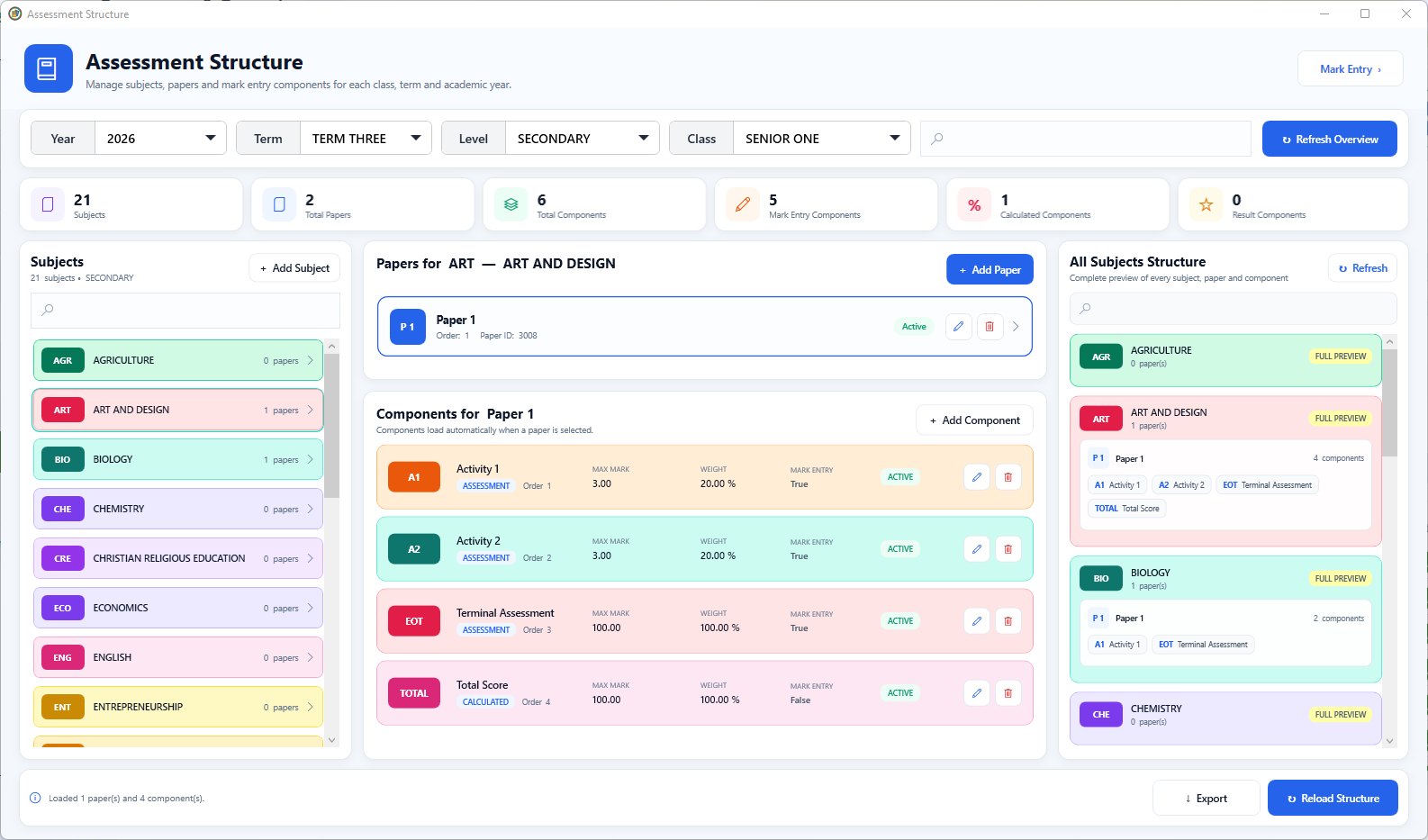
Explore this windowOrganize subjects, papers and assessment components.
Explore this windowSet a paper's name, order and active status.
Explore this windowDefine how each part of an assessment is treated.
Explore this windowEnter, validate and review assessment marks.
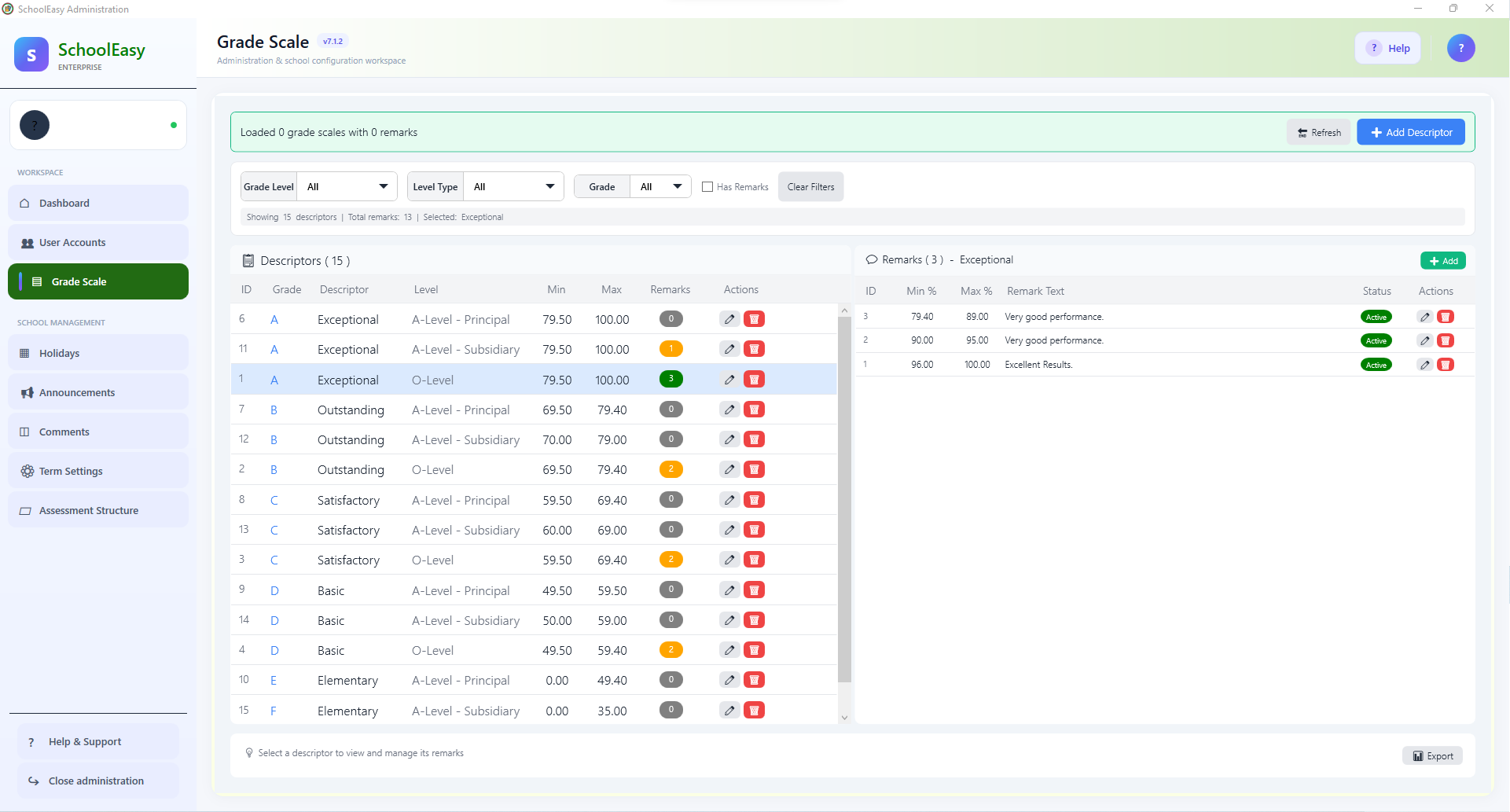
Explore this windowMaintain grade boundaries and descriptive feedback.
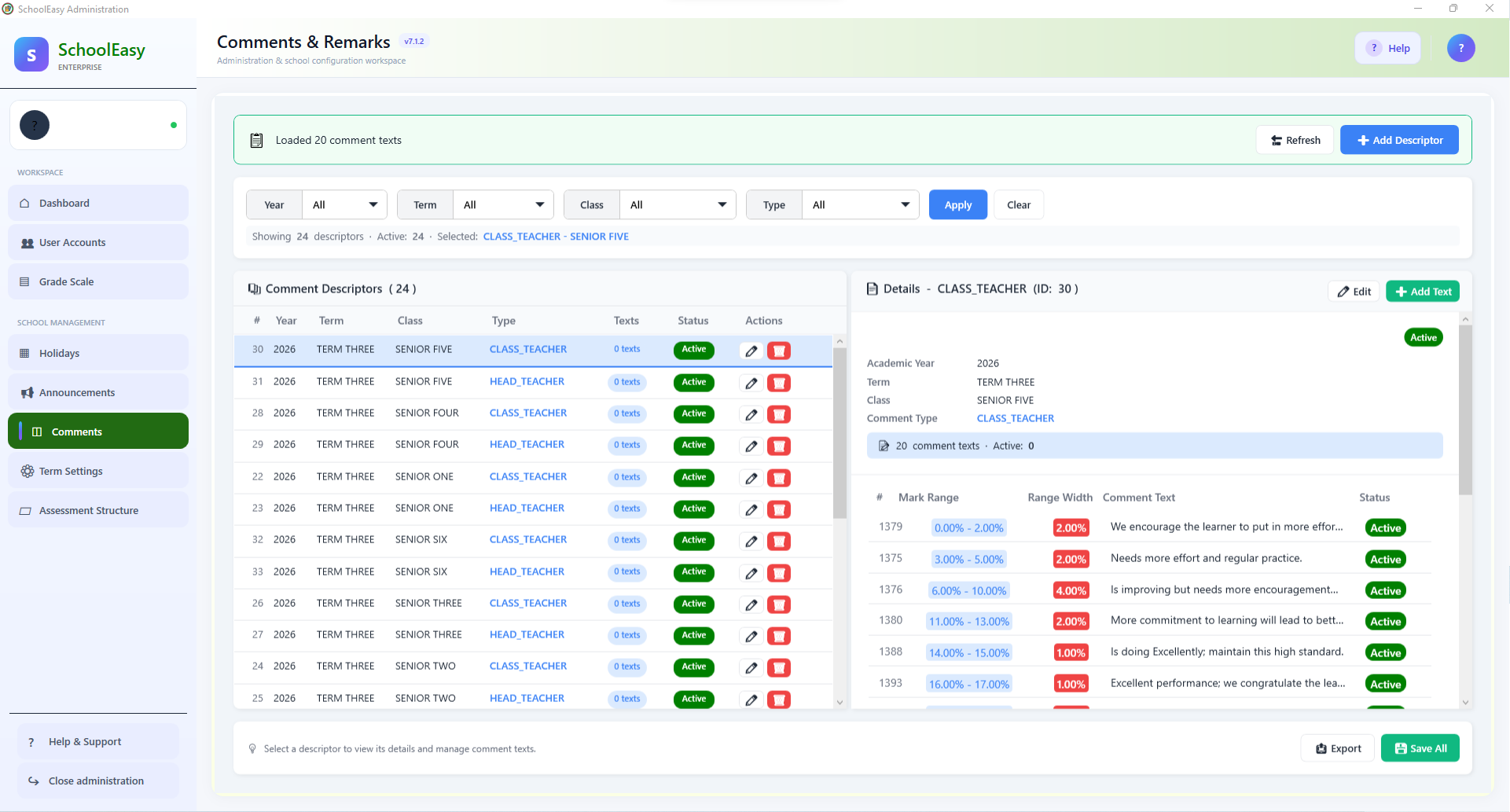
Explore this windowOrganize reusable feedback by class and comment type.
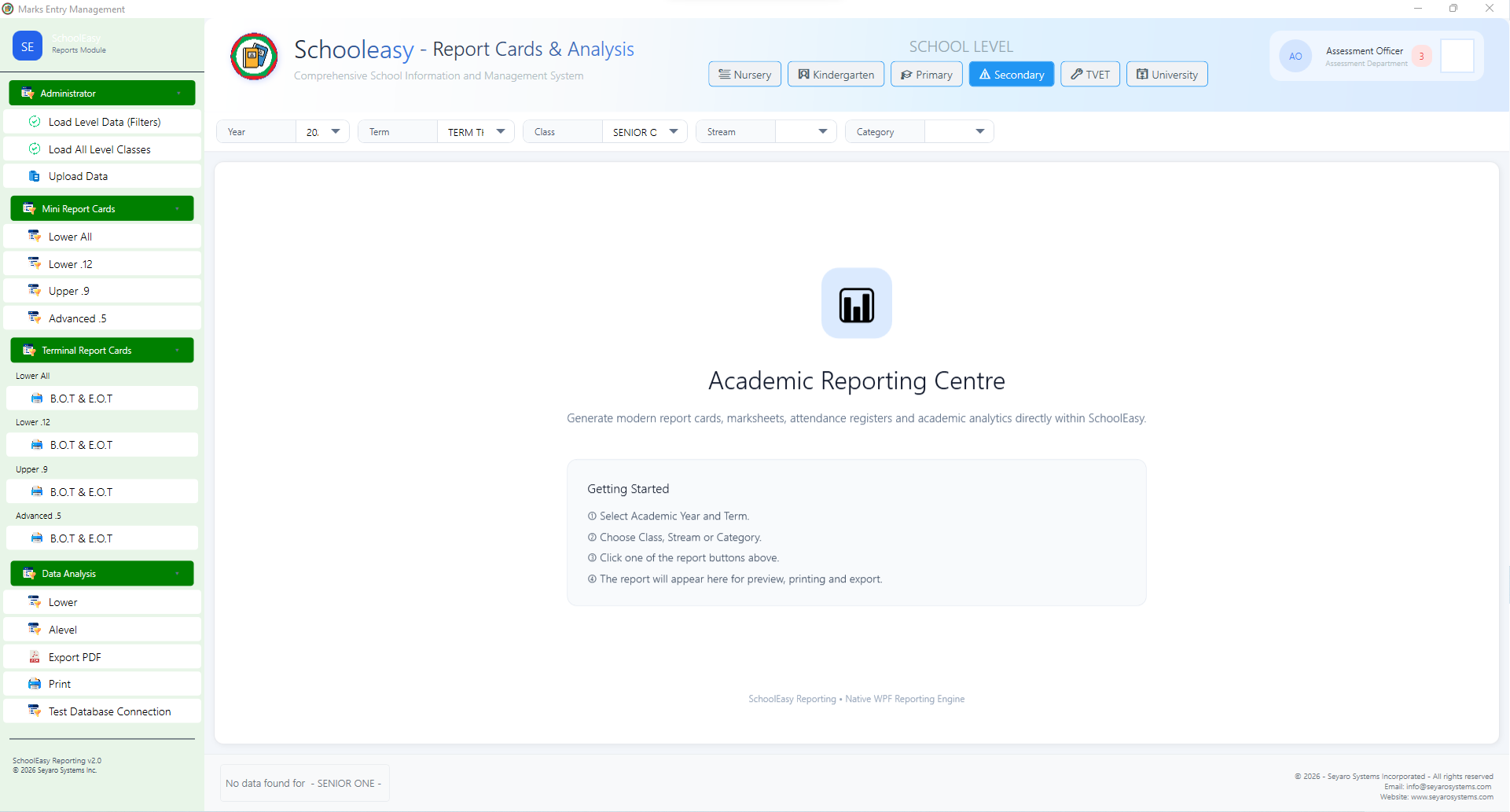
Explore this windowPrepare report cards and academic analysis.
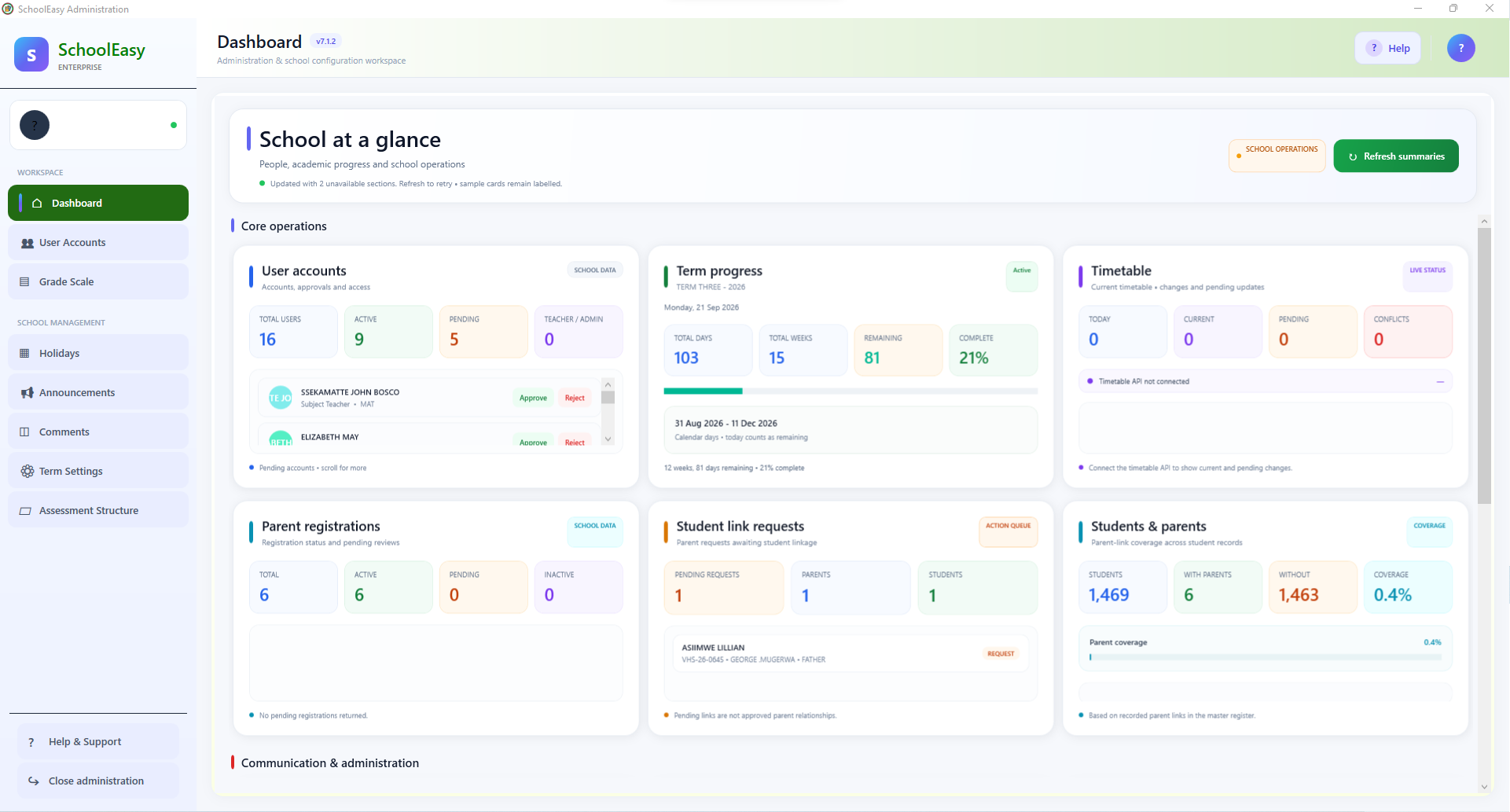
Explore this windowReview access requests, term progress and parent links.
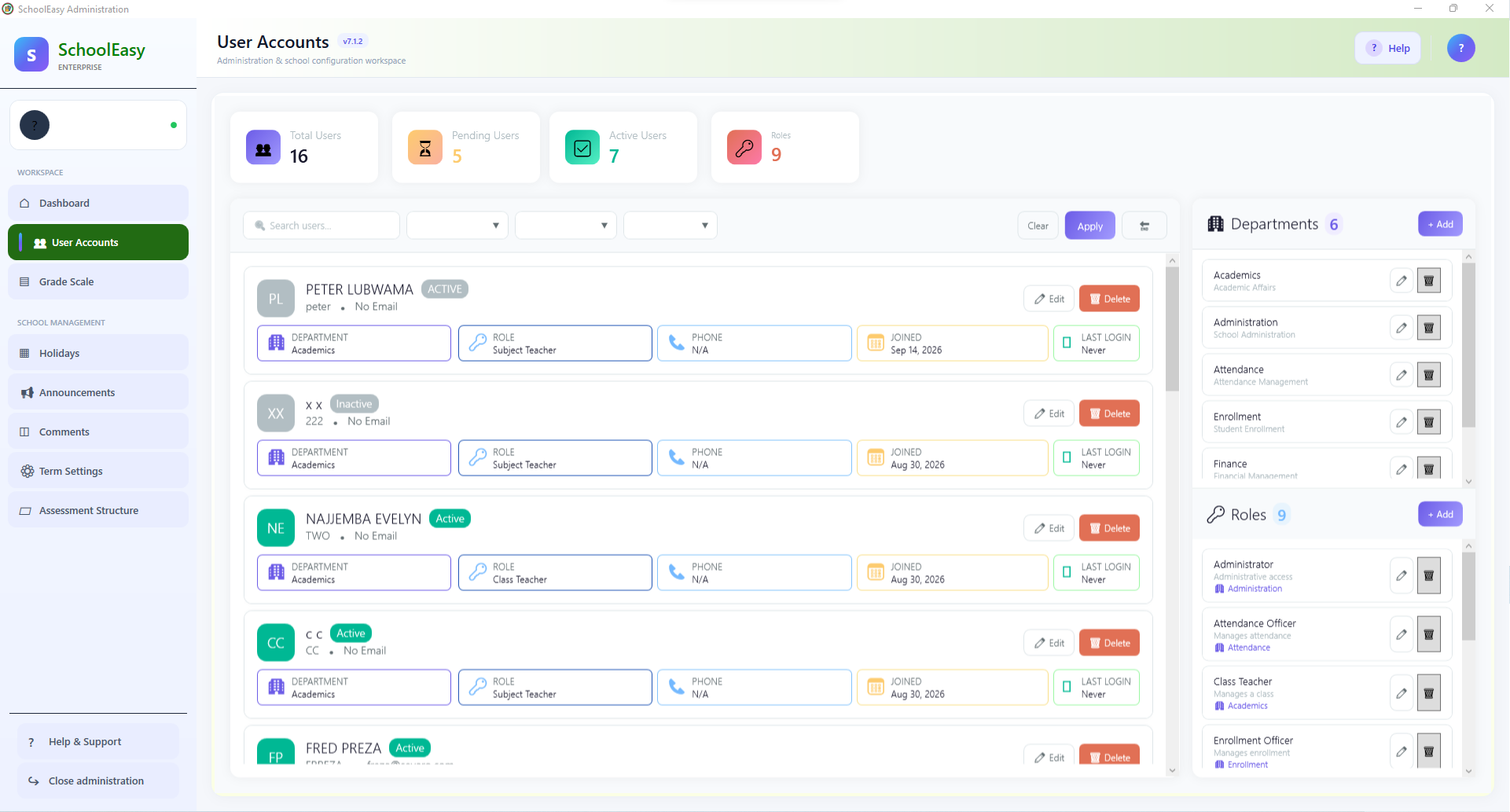
Explore this windowManage who belongs to each school workspace.
Explore this windowMaintain the dates that affect school availability.
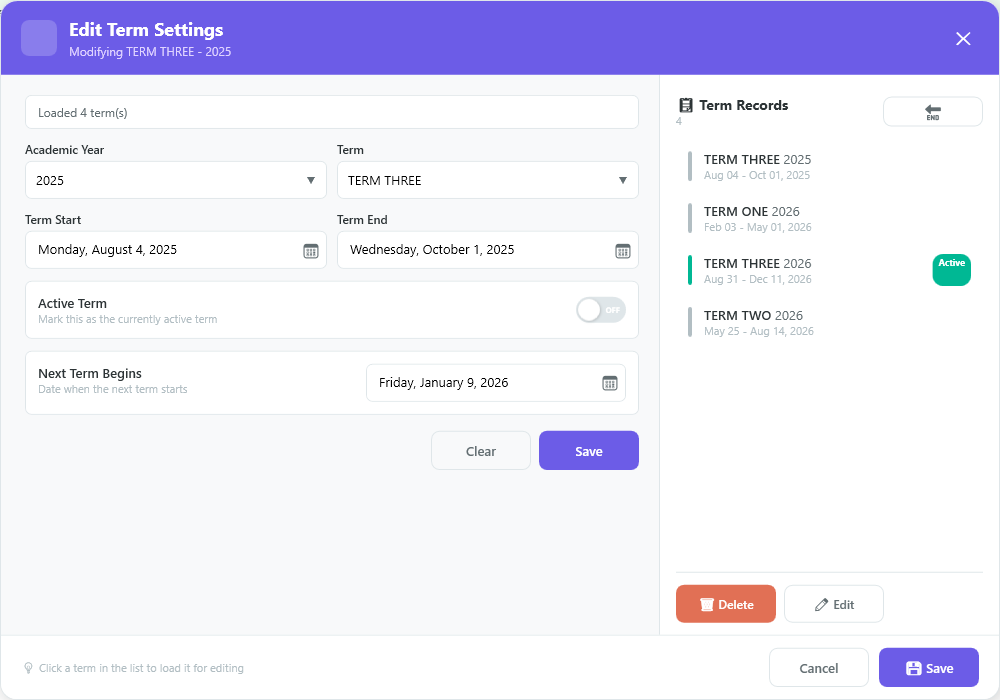
Explore this windowDefine term dates and the active academic period.
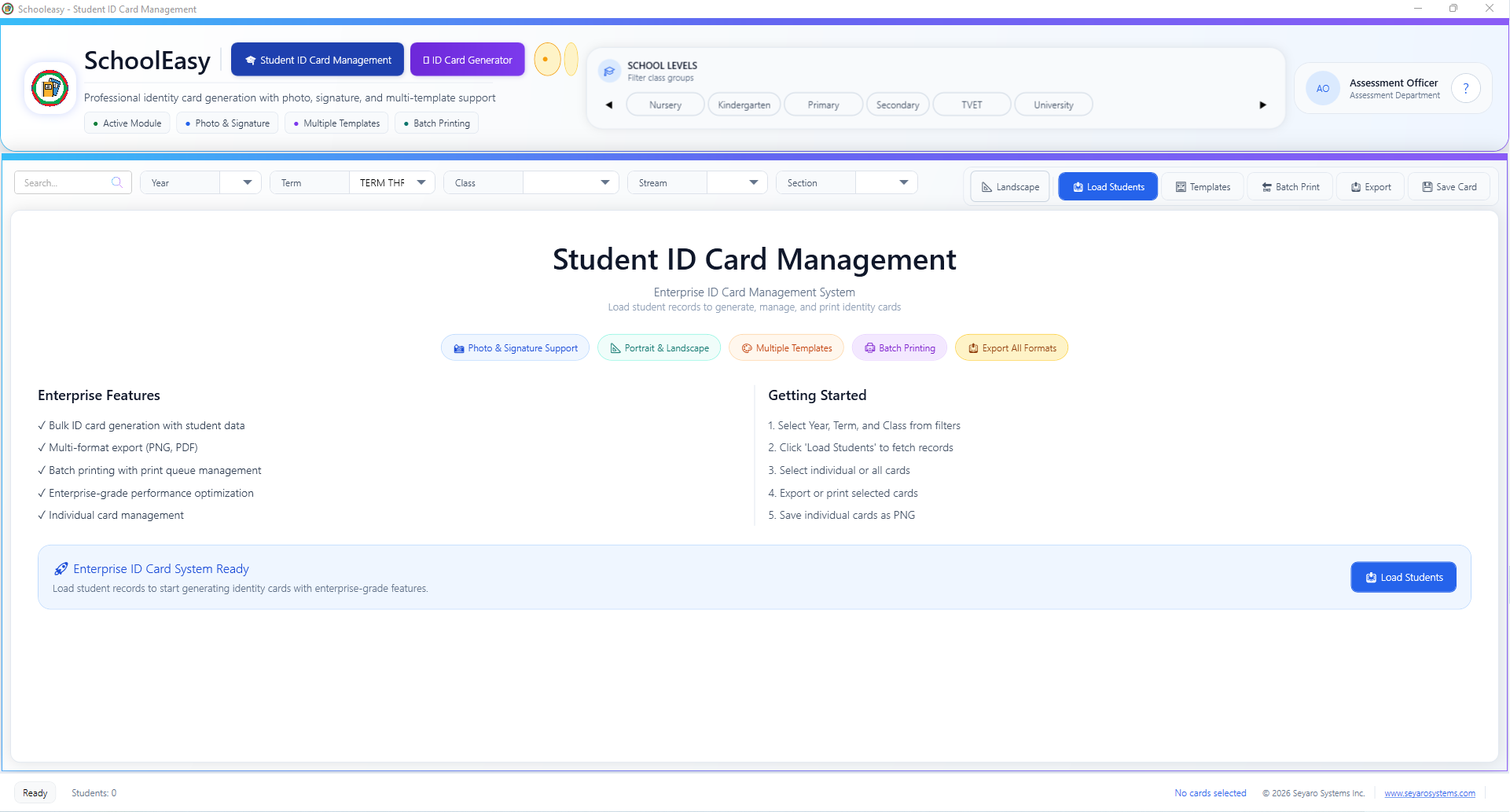
Explore this windowPrepare student records for identity card production.
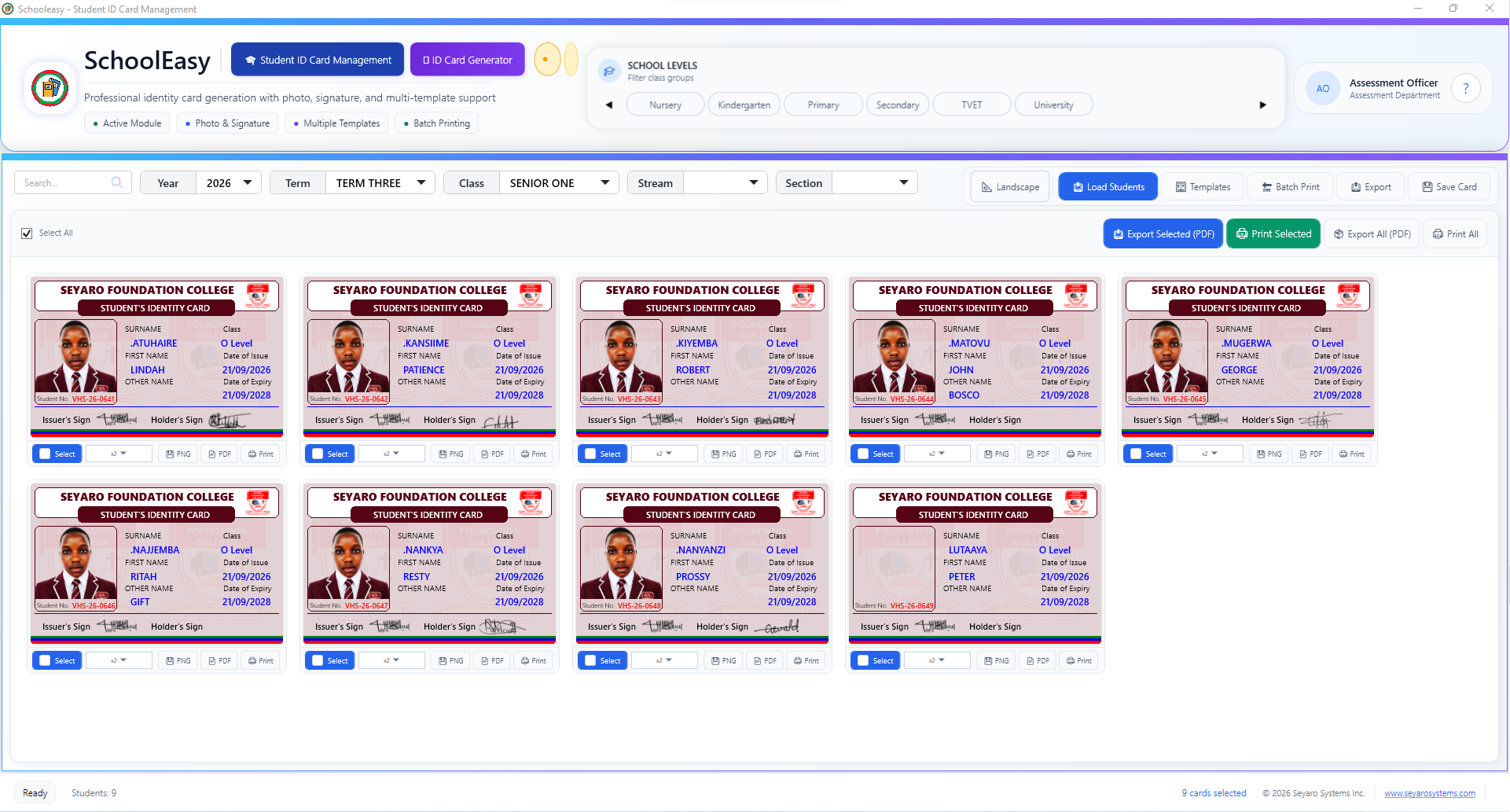
Explore this windowReview student cards before printing or exporting.
Explore this windowStart on one computer. Connect your team. Bring every campus together. SchoolMeridian fits the way your institution works.
The application and database run on your own computer. A simple starting point with no internet required.
Connect desktops and mobile devices to one database over your school’s local network. Work together without internet.
Connect to a remote database. If the network or internet drops, switch automatically to localhost and sync when connectivity returns.
For institutions with multiple branches or tens of thousands of records. Bring campuses, reporting and database control together.
Choose your version below. All costs are listed on the pricing plan page.
The complete application with unlimited use, for a maximum of 100 records.
Try Cloud/WAN free for 30 days with unlimited users and discover remote access for your team.
Explore paid plans for your deployment, ongoing cloud access or Enterprise requirements.
Compare Paid PlansTurn student records into school identity cards, with photos, signatures and a choice of portrait or landscape layouts.
Personalize cards using student records.
Choose portrait or landscape templates.
Select several students and print together.
Save cards for sharing or printing.
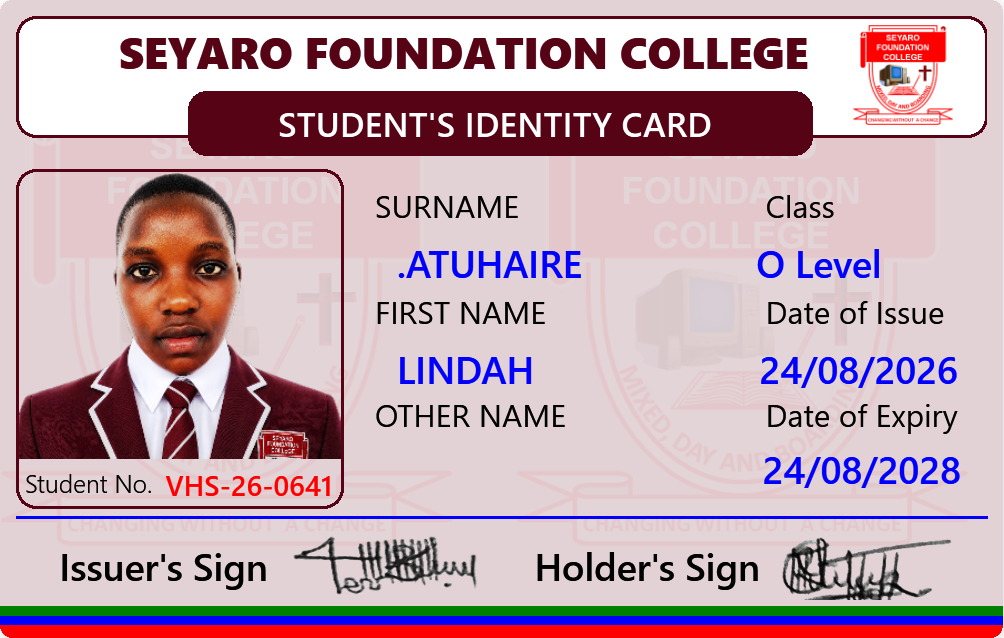
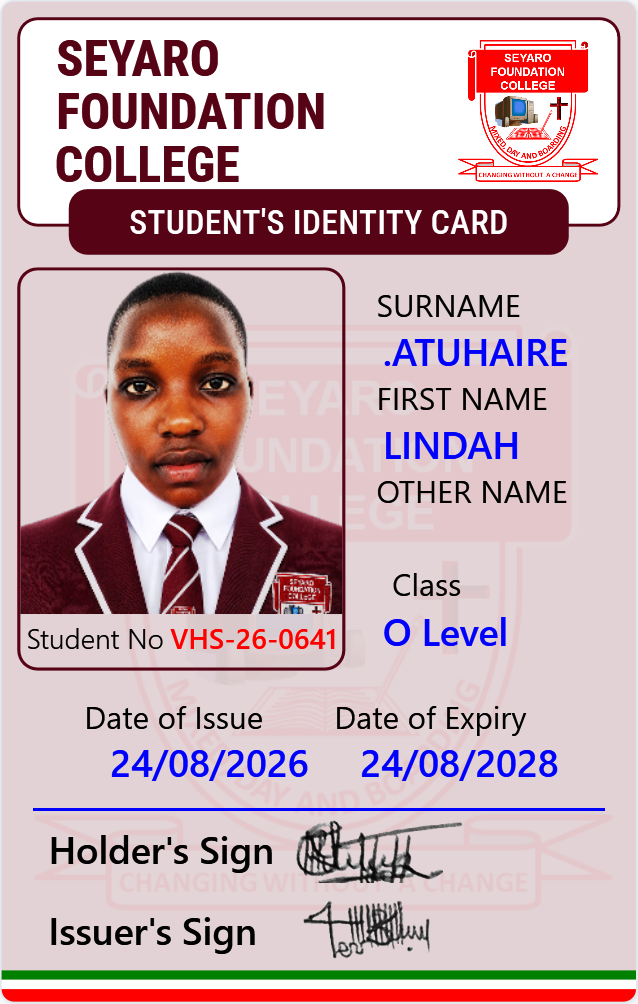
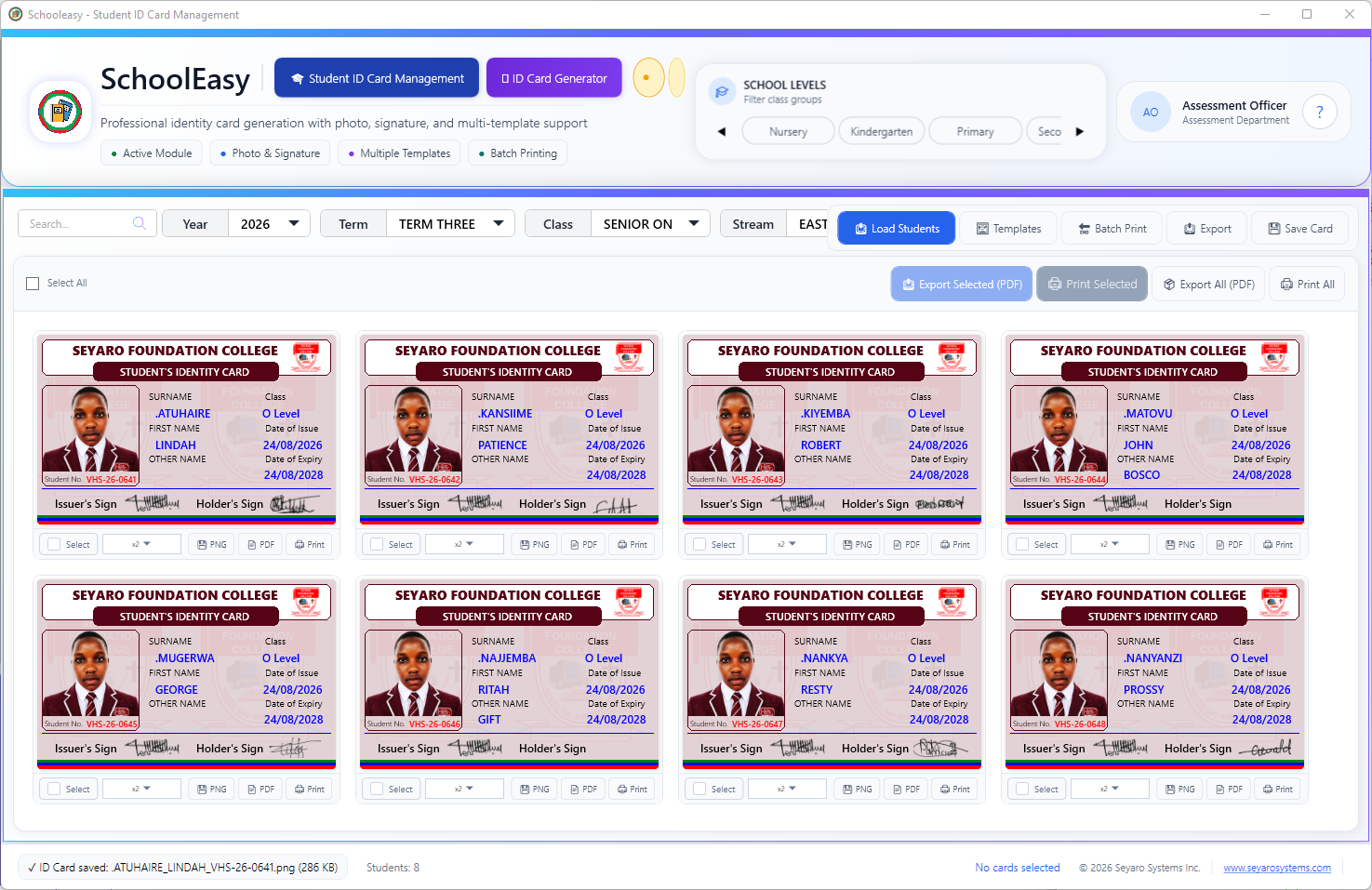
Load the class Select students Choose layout and resolution Export or print
We understand your industry. Our systems are designed to simplify operations, improve efficiency and create greater impact.


A growing suite of intelligent systems designed for real-world impact.
From strategy to support, we provide end-to-end services to help you build, grow and stay ahead.
Custom systems, APIs, desktop and mobile applications.
Modern, responsive web experiences built to convert.
Creative visual identities, campaigns and brand systems.
Networks, servers, cloud, security and technical support.
Practical technology and programming skills for teams.
Strategy, campaigns, SEO and audience growth.
Practical tools for the people managing your institution every day.
Manage student records, enrollment, marks and report cards in SchoolMeridian, with the information your team needs in one application.
Track fees, payments and balances alongside attendance records to support the daily work of your finance and administration teams.
Start on one computer, connect desktops and mobile devices over LAN, or explore WAN and Enterprise setups for remote access and multiple branches.
We start with your workflows, team and priorities to define the right solution.
Understand & PlanA clear starting pointWe build, configure and help your team adopt the tools that support its daily work.
Build & SupportPractical delivery and guidancePartner with Seyaro Systems and experience the power of technology, creativity and people.
Recent software releases and newly published updates, all in one place.
v7.1.7. updates in printouts and mark entry
View Releasev7.1.7. updates in printouts and mark entry
View ReleaseA new release is available. View the software details and download the installer.
View Release